Home » Fields (Page 4)
Category Archives: Fields
Make a Difference by Comparing Sitecore Items Across Different Databases
The other day I pondered whether anyone had ever built a tool in the Sitecore client to compare field values for the same item across different databases.
Instead of researching whether someone had built such a tool — bad, bad, bad Mike — I decided to build something to do just that — well, really leverage existing code used by Sitecore “out of the box”.
I thought it would be great if I could harness code used by the versions Diff tool — a tool that allows users to visually ascertain differences in fields of an item across different versions in the same database:

After digging around in Sitecore.Kernel.dll, I discovered I could reuse some logic from the versions Diff tool to accomplish this, and what follows showcases the fruit yielded from that research.
The first thing I built was a class — along with its interface — to return a collection of databases where an item resides:
using System.Collections.Generic;

namespace Sitecore.Sandbox.Utilities.Gatherers.Base
{
    public interface IDatabasesGatherer
    {
        IEnumerable<Sitecore.Data.Database> Gather();
    }
}
using System.Collections.Generic;
using System.Linq;

using Sitecore.Data;
using Sitecore.Data.Items;
using Sitecore.Diagnostics;
using Sitecore.Sandbox.Utilities.Gatherers.Base;
using Sitecore.Configuration;

namespace Sitecore.Sandbox.Utilities.Gatherers
{
    public class ItemInDatabasesGatherer : IDatabasesGatherer
    {
        private ID ID { get; set; }

        private ItemInDatabasesGatherer(string id)
            : this(MainUtil.GetID(id))
        {
        }

        private ItemInDatabasesGatherer(ID id)
        {
            SetID(id);
        }

        private void SetID(ID id)
        {
            AssertID(id);
            ID = id;
        }

        public IEnumerable<Sitecore.Data.Database> Gather()
        {
            return GetAllDatabases().Where(database => DoesDatabaseContainItemByID(database, ID));
        }

        private static IEnumerable<Sitecore.Data.Database> GetAllDatabases()
        {
            return Factory.GetDatabases();
        }

        private bool DoesDatabaseContainItemByID(Sitecore.Data.Database database, ID id)
        {
            return GetItem(database, id) != null;
        }

        private static Item GetItem(Sitecore.Data.Database database, ID id)
        {
            Assert.ArgumentNotNull(database, "database");
            AssertID(id);
            return database.GetItem(id);
        }

        private static void AssertID(ID id)
        {
            Assert.ArgumentCondition(!ID.IsNullOrEmpty(id), "id", "ID must be set!");
        }

        public static IDatabasesGatherer CreateNewItemInDatabasesGatherer(string id)
        {
            return new ItemInDatabasesGatherer(id);
        }

        public static IDatabasesGatherer CreateNewItemInDatabasesGatherer(ID id)
        {
            return new ItemInDatabasesGatherer(id);
        }
    }
}
I then copied the xml from the versions Diff dialog — this lives in /sitecore/shell/Applications/Dialogs/Diff/Diff.xml — and replaced the versions Combobox dropdowns with my own for showing Sitecore database names:
<?xml version="1.0" encoding="utf-8" ?>
<control xmlns:def="Definition" xmlns="http://schemas.sitecore.net/Visual-Studio-Intellisense">
<ItemDiff>
<FormDialog Icon="Applications/16x16/window_view.png" Header="Database Compare" Text="Compare the same item in different databases. The differences are highlighted." CancelButton="false">
<CodeBeside Type="Sitecore.Sandbox.Shell.Applications.Dialogs.Diff.ItemDiff,Sitecore.Sandbox"/>
<link href="/sitecore/shell/Applications/Dialogs/Diff/Diff.css" rel="stylesheet"/>
<Stylesheet>
.ie #GridContainer {
padding: 4px;
}
.ff #GridContainer > * {
padding: 4px;
}
.ff .scToolbutton, .ff .scToolbutton_Down, .ff .scToolbutton_Hover, .ff .scToolbutton_Down_Hover {
height: 20px;
float: left;
}
</Stylesheet>
<AutoToolbar DataSource="/sitecore/content/Applications/Dialogs/Diff/Toolbar" def:placeholder="Toolbar"/>
<GridPanel Columns="2" Width="100%" Height="100%" GridPanel.Height="100%">
<Combobox ID="DatabaseOneDropdown" Width="100%" GridPanel.Width="50%" GridPanel.Style="padding:0px 4px 4px 0px" Change="#"/>
<Combobox ID="DatabaseTwoDropdown" Width="100%" GridPanel.Width="50%" GridPanel.Style="padding:0px 0px 4px 0px" Change="#"/>
<Scrollbox ID="GridContainer" Padding="" Background="white" GridPanel.ColSpan="2" GridPanel.Height="100%">
<GridPanel ID="Grid" Width="100%" CellPadding="0" Fixed="true"></GridPanel>
</Scrollbox>
</GridPanel>
</FormDialog>
</ItemDiff>
</control>
I saved the above xml in /sitecore/shell/Applications/Dialogs/ItemDiff/ItemDiff.xml.
With the help of the code-beside of the versions Diff tool — this lives in Sitecore.Shell.Applications.Dialogs.Diff.DiffForm — I built the code-beside for the xml control above:
using System;
using System.Collections.Generic;
using System.Linq;
using System.Web.UI;

using Sitecore.Configuration;
using Sitecore.Data;
using Sitecore.Data.Items;
using Sitecore.Diagnostics;
using Sitecore.shell.Applications.Dialogs.Diff;
using Sitecore.Text.Diff.View;
using Sitecore.Web;
using Sitecore.Web.UI.HtmlControls;
using Sitecore.Web.UI.Sheer;
using Sitecore.Web.UI.WebControls;

using Sitecore.Sandbox.Utilities.Gatherers.Base;
using Sitecore.Sandbox.Utilities.Gatherers;

namespace Sitecore.Sandbox.Shell.Applications.Dialogs.Diff
{
    public class ItemDiff : BaseForm
    {
        private const string IDKey = "id";
        private const string OneColumnViewRegistry = "OneColumn";
        private const string TwoColumnViewRegistry = "TwoColumn";
        private const string ViewRegistryKey = "/Current_User/ItemDatabaseDiff/View";

        protected Button Cancel;
        protected GridPanel Grid;
        protected Button OK;
        protected Combobox DatabaseOneDropdown;
        protected Combobox DatabaseTwoDropdown;

        private ID _ID;
        private ID ID
        {
            get
            {
                if (ID.IsNullOrEmpty(_ID))
                {
                    _ID = GetID();
                }

                return _ID;
            }
        }

        private Database _DatabaseOne;
        private Database DatabaseOne
        {
            get
            {
                if (_DatabaseOne == null)
                {
                    _DatabaseOne = GetDatabaseOne();
                }

                return _DatabaseOne;
            }
        }

        private Database _DatabaseTwo;
        private Database DatabaseTwo
        {
            get
            {
                if (_DatabaseTwo == null)
                {
                    _DatabaseTwo = GetDatabaseTwo();
                }

                return _DatabaseTwo;
            }
        }

        private ID GetID()
        {
            return MainUtil.GetID(GetServerPropertySetIfApplicable(IDKey, IDKey), ID.Null);
        }

        private Database GetDatabaseOne()
        {
            return GetDatabase(DatabaseOneDropdown.SelectedItem.Value);
        }

        private Database GetDatabaseTwo()
        {
            return GetDatabase(DatabaseTwoDropdown.SelectedItem.Value);
        }

        private static Database GetDatabase(string databaseName)
        {
            if(!string.IsNullOrEmpty(databaseName))
            {
                return Factory.GetDatabase(databaseName);
            }

            return null;
        }

        private static string GetServerPropertySetIfApplicable(string serverPropertyKey, string queryStringName, string defaultValue = null)
        {
            Assert.ArgumentNotNullOrEmpty(serverPropertyKey, "serverPropertyKey");
            string value = GetServerProperty(serverPropertyKey);

            if(!string.IsNullOrEmpty(value))
            {
                return value;
            }

            SetServerProperty(serverPropertyKey, GetQueryString(queryStringName, defaultValue));
            return GetServerProperty(serverPropertyKey);
        }

        private static string GetServerProperty(string key)
        {
            Assert.ArgumentNotNullOrEmpty(key, "key");
            return GetServerProperty<string>(key);
        }

        private static T GetServerProperty<T>(string key) where T : class
        {
            Assert.ArgumentNotNullOrEmpty(key, "key");
            return Context.ClientPage.ServerProperties[key] as T;
        }

        private static void SetServerProperty(string key, object value)
        {
            Assert.ArgumentNotNullOrEmpty(key, "key");
            Context.ClientPage.ServerProperties[key] = value;
        }

        private static string GetQueryString(string name, string defaultValue = null)
        {
            Assert.ArgumentNotNullOrEmpty(name, "name");
            if(!string.IsNullOrEmpty(defaultValue))
            {
                return WebUtil.GetQueryString(name, defaultValue);
            }

            return WebUtil.GetQueryString(name);
        }

        private void Compare()
        {
            Compare(GetDiffView(), Grid, GetItemOne(), GetItemTwo());
        }

        private static void Compare(DiffView diffView, GridPanel gridPanel, Item itemOne, Item itemTwo)
        {
            Assert.ArgumentNotNull(diffView, "diffView");
            Assert.ArgumentNotNull(gridPanel, "gridPanel");
            Assert.ArgumentNotNull(itemOne, "itemOne");
            Assert.ArgumentNotNull(itemTwo, "itemTwo");
            diffView.Compare(gridPanel, itemOne, itemTwo, string.Empty);
        }

        private static DiffView GetDiffView()
        {
            if (IsOneColumnSelected())
            {
                return new OneColumnDiffView();
            }

            return new TwoCoumnsDiffView();
        }

        private Item GetItemOne()
        {
            Assert.IsNotNull(DatabaseOne, "DatabaseOne must be set!");
            return DatabaseOne.Items[ID];
        }

        private Item GetItemTwo()
        {
            Assert.IsNotNull(DatabaseOne, "DatabaseTwo must be set!");
            return DatabaseTwo.Items[ID];
        }

        private static void OnCancel(object sender, EventArgs e)
        {
            Assert.ArgumentNotNull(sender, "sender");
            Assert.ArgumentNotNull(e, "e");
            Context.ClientPage.ClientResponse.CloseWindow();
        }

        protected override void OnLoad(EventArgs e)
        {
            Assert.ArgumentNotNull(e, "e");
            base.OnLoad(e);

            OK.OnClick += new EventHandler(OnOK);
            Cancel.OnClick += new EventHandler(OnCancel);

            DatabaseOneDropdown.OnChange += new EventHandler(OnUpdate);
            DatabaseTwoDropdown.OnChange += new EventHandler(OnUpdate);
        }

        private static void OnOK(object sender, EventArgs e)
        {
            Assert.ArgumentNotNull(sender, "sender");
            Assert.ArgumentNotNull(e, "e");
            Context.ClientPage.ClientResponse.CloseWindow();
        }

        protected override void OnPreRender(EventArgs e)
        {
            Assert.ArgumentNotNull(e, "e");
            base.OnPreRender(e);

            if (!Context.ClientPage.IsEvent)
            {
                PopuplateDatabaseDropdowns();
                Compare();
                UpdateButtons();
            }
        }

        private void PopuplateDatabaseDropdowns()
        {
            IDatabasesGatherer IDatabasesGatherer = ItemInDatabasesGatherer.CreateNewItemInDatabasesGatherer(ID);
            PopuplateDatabaseDropdowns(IDatabasesGatherer.Gather());
        }

        private void PopuplateDatabaseDropdowns(IEnumerable<Database> databases)
        {
            PopuplateDatabaseDropdown(DatabaseOneDropdown, databases, Context.ContentDatabase);
            PopuplateDatabaseDropdown(DatabaseTwoDropdown, databases, Context.ContentDatabase);
        }

        private static void PopuplateDatabaseDropdown(Combobox databaseDropdown, IEnumerable<Database> databases, Database selectedDatabase)
        {
            Assert.ArgumentNotNull(databaseDropdown, "databaseDropdown");
            Assert.ArgumentNotNull(databases, "databases");

            foreach (Database database in databases)
            {
                databaseDropdown.Controls.Add
                (
                    new ListItem
                    {
                        ID = Sitecore.Web.UI.HtmlControls.Control.GetUniqueID("ListItem"),
                        Header = database.Name,
                        Value = database.Name,
                        Selected = string.Equals(database.Name, selectedDatabase.Name)
                    }
                );
            }
        }

        private void OnUpdate(object sender, EventArgs e)
        {
            Assert.ArgumentNotNull(sender, "sender");
            Assert.ArgumentNotNull(e, "e");
            Refresh();
        }

        private void Refresh()
        {
            Grid.Controls.Clear();
            Compare();
            Context.ClientPage.ClientResponse.SetOuterHtml("Grid", Grid);
        }

        protected void ShowOneColumn()
        {
            SetRegistryString(ViewRegistryKey, OneColumnViewRegistry);
            UpdateButtons();
            Refresh();
        }

        protected void ShowTwoColumns()
        {
            SetRegistryString(ViewRegistryKey, TwoColumnViewRegistry);
            UpdateButtons();
            Refresh();
        }

        private static void UpdateButtons()
        {
            bool isOneColumnSelected = IsOneColumnSelected();
            SetToolButtonDown("OneColumn", isOneColumnSelected);
            SetToolButtonDown("TwoColumn", !isOneColumnSelected);
        }

        private static bool IsOneColumnSelected()
        {
            return string.Equals(GetRegistryString(ViewRegistryKey, OneColumnViewRegistry), OneColumnViewRegistry);
        }

        private static void SetToolButtonDown(string controlID, bool isDown)
        {
            Assert.ArgumentNotNullOrEmpty(controlID, "controlID");
            Toolbutton toolbutton = FindClientPageControl<Toolbutton>(controlID);
            toolbutton.Down = isDown;
        }

        private static T FindClientPageControl<T>(string controlID) where T : System.Web.UI.Control
        {
            Assert.ArgumentNotNullOrEmpty(controlID, "controlID");
            T control = Context.ClientPage.FindControl(controlID) as T;
            Assert.IsNotNull(control, typeof(T));
            return control;
        }

        private static string GetRegistryString(string key, string defaultValue = null)
        {
            Assert.ArgumentNotNullOrEmpty(key, "key");

            if(!string.IsNullOrEmpty(defaultValue))
            {
                return Sitecore.Web.UI.HtmlControls.Registry.GetString(key, defaultValue);
            }

            return Sitecore.Web.UI.HtmlControls.Registry.GetString(key);
        }

        private static void SetRegistryString(string key, string value)
        {
            Assert.ArgumentNotNullOrEmpty(key, "key");
            Sitecore.Web.UI.HtmlControls.Registry.SetString(key, value);
        }
    }
}
The code-beside file above populates the two database dropdowns with the names of the databases where the Item is found, and selects the current content database on both dropdowns when the dialog is first launched.
Users have the ability to toggle between one and two column layouts — just as is offered by the versions Diff tool — and can compare field values on the item across any database where the item is found — the true magic occurs in the instance of the Sitecore.Text.Diff.View.DiffView class.
Now that we have a dialog form, we need a way to launch it:
using System;
using System.Collections.Generic;
using System.Linq;

using Sitecore.Data;
using Sitecore.Data.Items;
using Sitecore.Diagnostics;
using Sitecore.Shell.Framework.Commands;
using Sitecore.Text;
using Sitecore.Web.UI.Sheer;

using Sitecore.Sandbox.Utilities.Gatherers.Base;
using Sitecore.Sandbox.Utilities.Gatherers;

namespace Sitecore.Sandbox.Commands
{
    public class LaunchDatabaseCompare : Command
    {
        public override void Execute(CommandContext commandContext)
        {
            SheerResponse.CheckModified(false);
            SheerResponse.ShowModalDialog(GetDialogUrl(commandContext));
        }

        private static string GetDialogUrl(CommandContext commandContext)
        {
            return GetDialogUrl(GetItem(commandContext).ID);
        }

        private static string GetDialogUrl(ID id)
        {
            Assert.ArgumentCondition(!ID.IsNullOrEmpty(id), "id", "ID must be set!");
            UrlString urlString = new UrlString(UIUtil.GetUri("control:ItemDiff"));
            urlString.Append("id", id.ToString());
            return urlString.ToString();
        }

        public override CommandState QueryState(CommandContext commandContext)
        {
            IDatabasesGatherer databasesGatherer = ItemInDatabasesGatherer.CreateNewItemInDatabasesGatherer(GetItem(commandContext).ID);

            if (databasesGatherer.Gather().Count() > 1)
            {
                return CommandState.Enabled;
            }

            return CommandState.Disabled;
        }

        private static Item GetItem(CommandContext commandContext)
        {
            Assert.ArgumentNotNull(commandContext, "commandContext");
            Assert.ArgumentNotNull(commandContext.Items, "commandContext.Items");
            return commandContext.Items.FirstOrDefault();
        }
    }
}
The above command launches our ItemDiff dialog, and passes the ID of the selected item to it.
If the item is only found in one database — this will be the current content database — the command is disabled. What would be the point of comparing the item in the same database?
I then registered this command in a patch include configuration file:
<?xml version="1.0" encoding="utf-8" ?>
<configuration>
  <sitecore>
    <commands>
      <command name="item:launchdatabasecompare" type="Sitecore.Sandbox.Commands.LaunchDatabaseCompare,Sitecore.Sandbox"/>
    </commands>
  </sitecore>
</configuration>
Now that we have our command ready to go, we need to lock and load this command in the Sitecore client. I added a button for our new command in the Operations chunk under the Home ribbon:
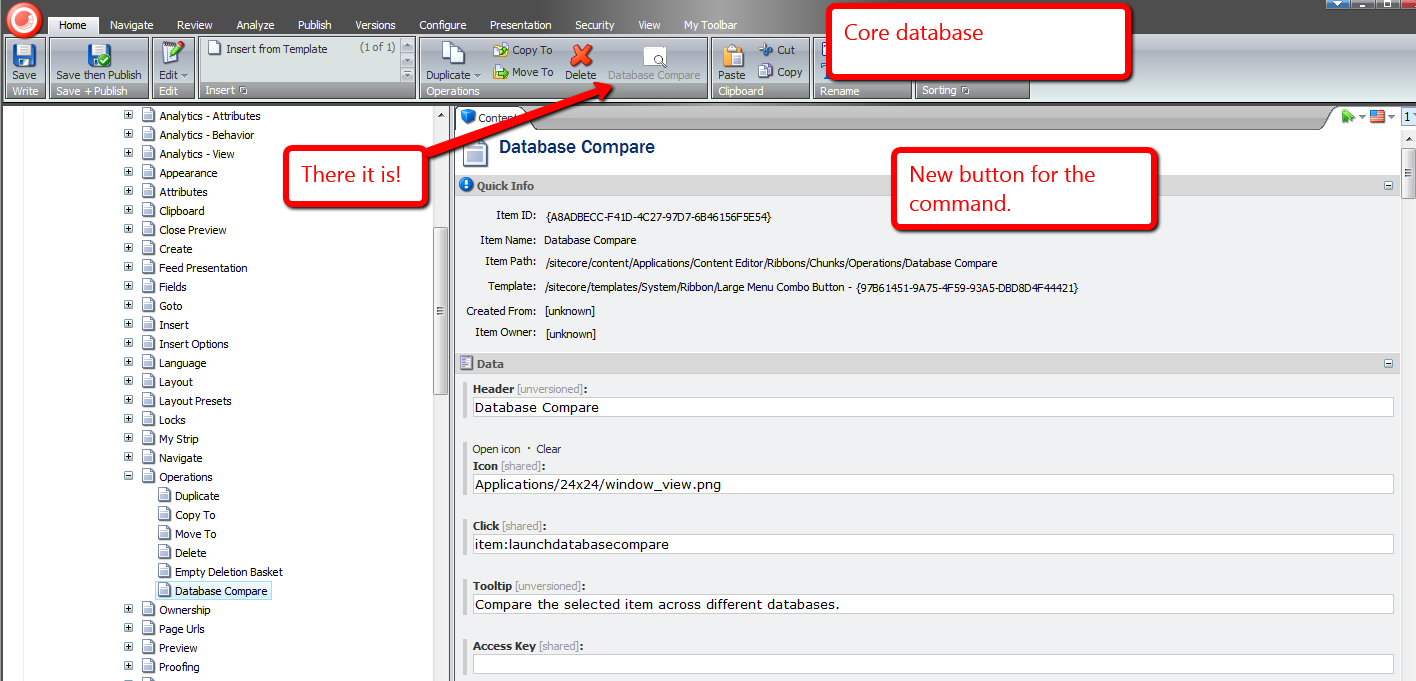
Time for some fun.
I created a new item for testing:

I published this item, and made some changes to it:

I clicked the Database Compare button to launch our dialog form:

As expected, we see differences in this item across the master and web databases:

Here are those differences in the two column layout:

One thing I might consider adding in the future is supporting comparisons of different versions of items across databases. The above solution is limited in only allowing users to compare the latest version of the Item in each database.
If you can think of anything else that could be added to this to make it better, please drop a comment.
Where Is This Field Defined? Add ‘Goto Template’ Links for Fields in the Sitecore Content Editor
About a month ago, I read this answer on Stack Overflow by Sitecore MVP Dan Solovay, and thought to myself “what could I do with a custom EditorFormatter that might be useful?”
Today, I came up with an idea that might be useful, especially when working with many levels of nested base templates: having a ‘Goto Template’ link — or button depending on your naming preference, although I will refer to these as links throughout this post since they are hyperlinks — for each field that, when clicked, will bring you to the Sitecore template where the field is defined.
I first defined a class to manage the display state of our ‘Goto Template’ links in the Content Editor:
using System;
using System.Collections.Generic;
using System.Linq;
using System.Text;

using Sitecore.Web.UI.HtmlControls;

namespace Sitecore.Sandbox.Utilities.ClientSettings
{
    public class GotoTemplateLinksSettings
    {
        private const string RegistrySettingKey = "/Current_User/Content Editor/Goto Template Links";
        private const string RegistrySettingOnValue = "on";

        private static volatile GotoTemplateLinksSettings current;
        private static object lockObject = new Object();

        public static GotoTemplateLinksSettings Current
        {
            get
            {
                if (current == null)
                {
                    lock (lockObject)
                    {
                        if (current == null)
                            current = new GotoTemplateLinksSettings();
                    }
                }

                return current;
            }
        }

        private GotoTemplateLinksSettings()
        {
        }

        public bool IsOn()
        {
            return Registry.GetString(RegistrySettingKey) == RegistrySettingOnValue;
        }

        public void TurnOn()
        {
            Registry.SetString(RegistrySettingKey, RegistrySettingOnValue);
        }

        public void TurnOff()
        {
            Registry.SetString(RegistrySettingKey, string.Empty);
        }
    }
}
I decided to make the above class be a Singleton — there should only be one central place where the display state of our links is toggled.
I created a subclass of Sitecore.Shell.Applications.ContentEditor.EditorFormatter, and overrode the RenderField(Control, Editor.Field, bool) method to embed additional logic to render a ‘Goto Template’ link for each field in the Content Editor:
using System.Web.UI;

using Sitecore;
using Sitecore.Data.Fields;
using Sitecore.Data.Items;
using Sitecore.Diagnostics;

using Sitecore.Shell.Applications.ContentEditor;
using Sitecore.Shell.Applications.ContentManager;

using Sitecore.Sandbox.Utilities.ClientSettings;

namespace Sitecore.Sandbox.Shell.Applications.ContentEditor
{
    public class GotoTemplateEditorFormatter : EditorFormatter
    {
        public override void RenderField(Control parent, Editor.Field field, bool readOnly)
        {
            Assert.ArgumentNotNull(parent, "parent");
            Assert.ArgumentNotNull(field, "field");
            Field itemField = field.ItemField;
            Item fieldType = GetFieldType(itemField);

            if (fieldType != null)
            {
                if (!itemField.CanWrite)
                {
                    readOnly = true;
                }

                RenderMarkerBegin(parent, field.ControlID);
                RenderMenuButtons(parent, field, fieldType, readOnly);
                RenderLabel(parent, field, fieldType, readOnly);
                AddGotoTemplateLinkIfCanView(parent, field);
                RenderField(parent, field, fieldType, readOnly);
                RenderMarkerEnd(parent);
            }
        }

        public void AddGotoTemplateLinkIfCanView(Control parent, Editor.Field field)
        {
            if (CanViewGotoTemplateLink())
            {
                AddGotoTemplateLink(parent, field);
            }
        }

        private static bool CanViewGotoTemplateLink()
        {
            return IsGotoTemplateLinksOn();
        }

        private static bool IsGotoTemplateLinksOn()
        {
            return GotoTemplateLinksSettings.Current.IsOn();
        }

        public void AddGotoTemplateLink(Control parent, Editor.Field field)
        {
            Assert.ArgumentNotNull(parent, "parent");
            Assert.ArgumentNotNull(field, "field");
            AddLiteralControl(parent, CreateGotoTemplateLink(field));
        }

        private static string CreateGotoTemplateLink(Editor.Field field)
        {
            Assert.ArgumentNotNull(field, "field");
            return string.Format("<a title=\"Navigate to the template where this field is defined.\" style=\"float: right;position:absolute;margin-top:-20px;right:15px;\" href=\"#\" onclick=\"{0}\">{1}</a>", CreateGotoTemplateJavascript(field), CreateGotoTemplateLinkText());
        }

        private static string CreateGotoTemplateJavascript(Editor.Field field)
        {
            Assert.ArgumentNotNull(field, "field");
            return string.Format("javascript:scForm.postRequest('', '', '','item:load(id={0})');return false;", field.TemplateField.Template.ID);
        }

        private static string CreateGotoTemplateLinkText()
        {
            return "<img style=\"border: 0;\" src=\"/~/icon/Applications/16x16/information2.png\" width=\"16\" height=\"16\" />";
        }
    }
}
‘Goto Template’ links are only rendered to the Sitecore Client when the display state for showing them is turned on.
Plus, each ‘Goto Template’ link is locked and loaded to invoke the item load command to navigate to the template item where the field is defined.
As highlighted by Dan in his Stack Overflow answer above, I created a new Sitecore.Shell.Applications.ContentEditor.Pipelines.RenderContentEditor pipeline processor, and hooked in an instance of the GotoTemplateEditorFormatter class defined above:
using System;
using System.Collections.Generic;
using System.Linq;
using System.Text;

using Sitecore.Diagnostics;

using Sitecore.Shell.Applications.ContentEditor;
using Sitecore.Shell.Applications.ContentEditor.Pipelines.RenderContentEditor;

namespace Sitecore.Sandbox.Shell.Applications.ContentEditor.Pipelines.RenderContentEditor
{
    public class RenderStandardContentEditor
    {
        public void Process(RenderContentEditorArgs args)
        {
            Assert.ArgumentNotNull(args, "args");
            args.EditorFormatter = CreateNewGotoTemplateEditorFormatter(args);
            args.EditorFormatter.RenderSections(args.Parent, args.Sections, args.ReadOnly);
        }

        private static EditorFormatter CreateNewGotoTemplateEditorFormatter(RenderContentEditorArgs args)
        {
            Assert.ArgumentNotNull(args, "args");
            Assert.ArgumentNotNull(args.EditorFormatter, "args.EditorFormatter");
            return new GotoTemplateEditorFormatter
            {
                Arguments = args.EditorFormatter.Arguments,
                IsFieldEditor = args.EditorFormatter.IsFieldEditor
            };
        }
    }
}
Now we need a way to toggle the display state of our ‘Goto Template’ links. I decided to create a command to turn this state on and off:
using System;
using System.Collections.Generic;
using System.Linq;
using System.Text;

using Sitecore.Data.Items;
using Sitecore.Diagnostics;
using Sitecore.Shell;
using Sitecore.Shell.Framework.Commands;
using Sitecore.Web.UI.HtmlControls;

using Sitecore.Sandbox.Utilities.ClientSettings;

namespace Sitecore.Sandbox.Commands
{
    public class ToggleGotoTemplateLinks : Command
    {
        public override void Execute(CommandContext commandContext)
        {
            ToggleGotoTemplateLinksOn();
            Refresh(commandContext);
        }

        private static void ToggleGotoTemplateLinksOn()
        {
            GotoTemplateLinksSettings gotoTemplateLinksSettings = GotoTemplateLinksSettings.Current;

            if (!gotoTemplateLinksSettings.IsOn())
            {
                gotoTemplateLinksSettings.TurnOn();
            }
            else
            {
                gotoTemplateLinksSettings.TurnOff();
            }
        }

        private static void Refresh(CommandContext commandContext)
        {
            Refresh(GetItem(commandContext));
        }

        private static void Refresh(Item item)
        {
            Assert.ArgumentNotNull(item, "item");
            Context.ClientPage.ClientResponse.Timer(string.Format("item:load(id={0})", item.ID), 1);
        }

        private static Item GetItem(CommandContext commandContext)
        {
            Assert.ArgumentNotNull(commandContext, "commandContext");
            return commandContext.Items.FirstOrDefault();
        }

        public override CommandState QueryState(CommandContext context)
        {
            if (!GotoTemplateLinksSettings.Current.IsOn())
            {
                return CommandState.Enabled;
            }

            return CommandState.Down;
        }
    }
}
I registered the pipeline processor defined above coupled with the toggle command in a patch include configuration file:
<?xml version="1.0" encoding="utf-8"?>
<configuration xmlns:patch="http://www.sitecore.net/xmlconfig/">
  <sitecore>
    <commands>
      <command name="contenteditor:togglegototemplatelinks" type="Sitecore.Sandbox.Commands.ToggleGotoTemplateLinks, Sitecore.Sandbox"/>
    </commands>
    <pipelines>
      <renderContentEditor>
        <processor
            patch:instead="*[@type='Sitecore.Shell.Applications.ContentEditor.Pipelines.RenderContentEditor.RenderStandardContentEditor, Sitecore.Client']"
            type="Sitecore.Sandbox.Shell.Applications.ContentEditor.Pipelines.RenderContentEditor.RenderStandardContentEditor, Sitecore.Sandbox"/>
      </renderContentEditor>

    </pipelines>
  </sitecore>
</configuration>
I then added a toggle checkbox to the View ribbon, and wired up the ToggleGotoTemplateLinks command to it:
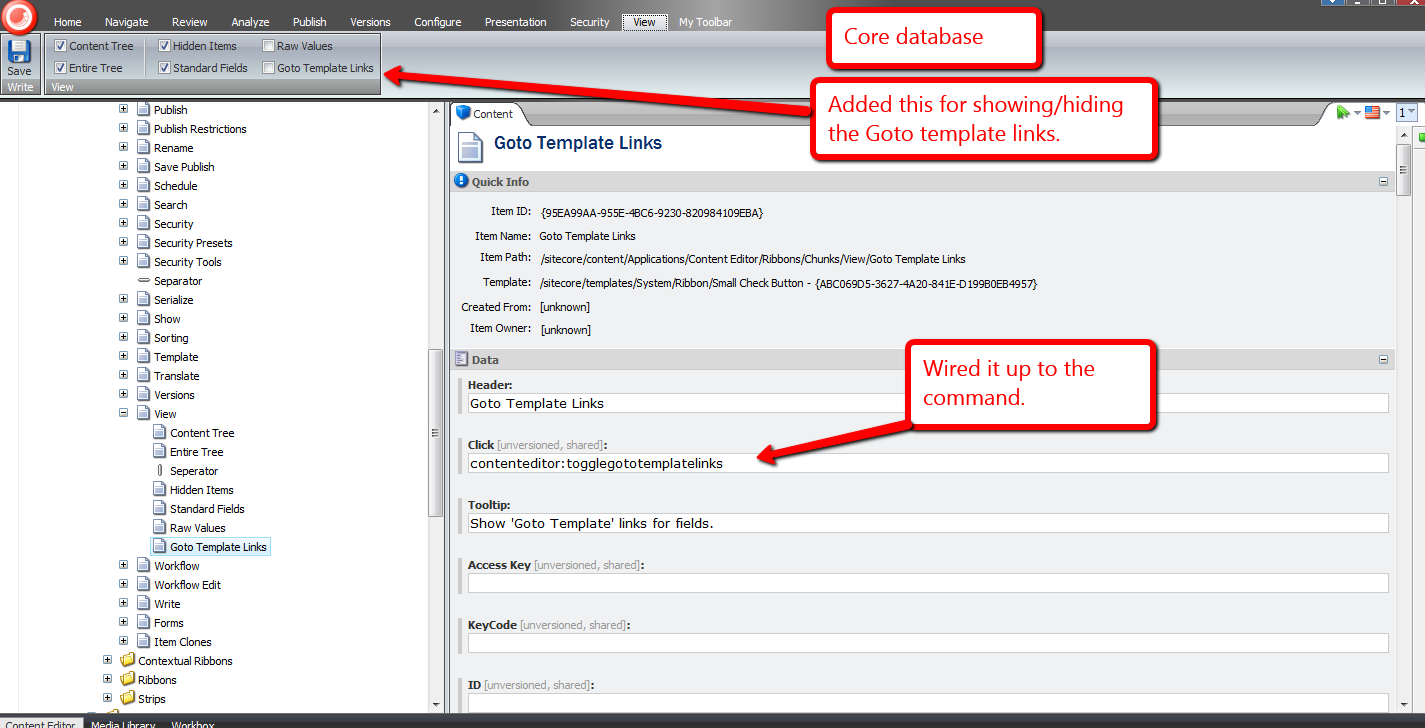
When the ‘Goto Template Links’ checkbox is checked, ‘Goto Template’ links are displayed for each field in the Content Editor:

When unchecked, the ‘Goto Template’ links are not rendered:

Let’s try it out.
Let’s click one of these ‘Goto Template’ links and see what it does, or where it takes us:

It brought us to the template where the Title field is defined:
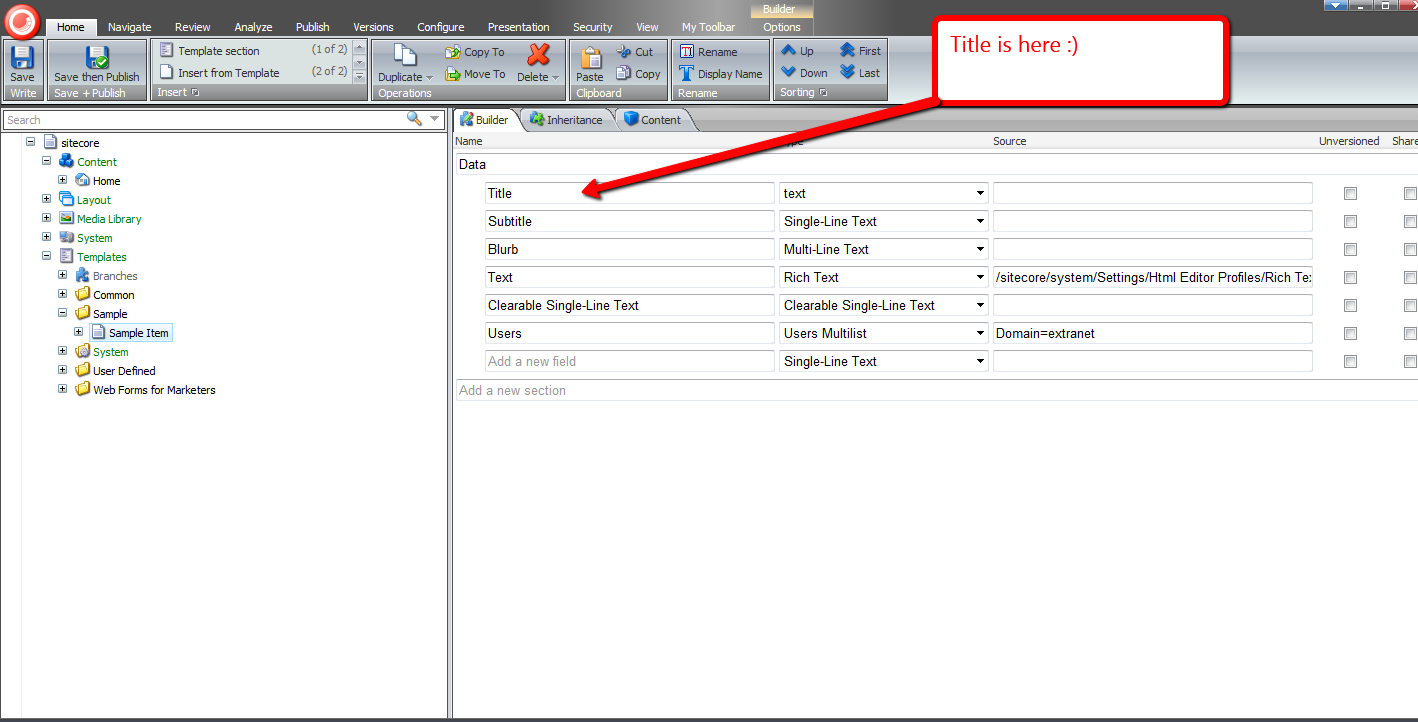
Let’s try another. How about the ‘Created By’ field?

Its link brought us to its template:

Without a doubt, the functionality above would be useful to developers and advanced users.
I’ve been trying to figure out other potential uses for other subclasses of EditorFormatter. Can you think of other ways we could leverage a custom EditorFormatter, especially one for non-technical Sitecore users? If you have any ideas, please drop a comment. 🙂
Take the Field By Replicating Sitecore Field Values
I pondered the other day whether anyone had ever erroneously put content into fields on the wrong Sitecore item, only to discover they had erred after laboring away for an extended period of time — imagine the ensuing frustration after realizing such a blunder.
You might think that this isn’t a big deal — why not just rename the item to be the name of the item you were supposed to be putting content into in the first place?
Well, things might not be that simple.
What if the item already had content in it before? What do you do?
This hypothetical — or fictitious — scenario got the creative juices flowing. Why not create new item context menu options — check out part 1 and part 2 of my post discussing how one would go about augmenting the item context menu, and also my last post showing how one can delete sitecore items using a deletion basket which is serves as another example of adding to the item context menu — that give copy and paste functionality for field values?
The cornerstone of my idea comes from functionality that comes with Sitecore “out of the box”. You have the option to cut, copy and paste items:

I find these three menu options to be indispensable. I frequently use them throughout the day when developing new features in Sitecore, and have also seen content authors use these to do their work.
The only problem with these is they don’t work at the field level, ergo the reason for this post: to showcase my efforts in building copy and paste utilities that work at the field level.
I first had to come up with a way to save field values. The following interface serves as the definition of objects that save information associated with a key:
namespace Sitecore.Sandbox.Utilities.Storage.Base
{
    public interface IRepository<TKey, TValue>
    {
        bool Contains(TKey key);

        TValue this[TKey key] { get; set; }

        void Put(TKey key, TValue value);

        void Remove(TKey key);

        void Clear();

        TValue Get(TKey key);
    }
}
For my copy and paste utilities, I decided I would store them in session. That steered me into building the following session repository class:
using System;
using System.Collections.Generic;
using System.Linq;
using System.Runtime.Serialization;
using System.Text;
using System.Web;
using System.Web.SessionState;

using Sitecore.Diagnostics;

using Sitecore.Sandbox.Utilities.Storage.Base;

namespace Sitecore.Sandbox.Utilities.Storage
{
    public class SessionRepository : IRepository<string, object>
    {
        private HttpSessionStateBase Session { get; set; }

        public object this[string key]
        {
            get
            {
                return Get(key);
            }
            set
            {
                Put(key, value);
            }
        }

        private SessionRepository(HttpSessionState session)
            : this(CreateNewHttpSessionStateWrapper(session))
        {
        }

        private SessionRepository(HttpSessionStateBase session)
        {
            SetSession(session);
        }

        private void SetSession(HttpSessionStateBase session)
        {
            Assert.ArgumentNotNull(session, "session");
            Session = session;
        }

        public bool Contains(string key)
        {
            return Session[key] != null;
        }

        public void Put(string key, object value)
        {
            Assert.ArgumentNotNullOrEmpty(key, "key");
            Assert.ArgumentCondition(IsSerializable(value), "value", "value must be serializable!");
            Session[key] = value;
        }

        private static bool IsSerializable(object instance)
        {
            Assert.ArgumentNotNull(instance, "instance");
            return instance.GetType().IsSerializable;
        }

        public void Remove(string key)
        {
            Session.Remove(key);
        }

        public void Clear()
        {
            Session.Clear();
        }

        public object Get(string key)
        {
            return Session[key];
        }

        private static HttpSessionStateWrapper CreateNewHttpSessionStateWrapper(HttpSessionState session)
        {
            Assert.ArgumentNotNull(session, "session");
            return new HttpSessionStateWrapper(session);
        }

        public static IRepository<string, object> CreateNewSessionRepository(HttpSessionState session)
        {
            return new SessionRepository(session);
        }

        public static IRepository<string, object> CreateNewSessionRepository(HttpSessionStateBase session)
        {
            return new SessionRepository(session);
        }
    }
}
If you’ve read some of my previous posts, you must have ascertained how I favor composition over inheritance — check out this article that discusses this subject — and created another utility object for storing string values — instances of this class delegate to other repository objects that save generic objects (an instance of the session repository class above is an example of such an object):
using System;
using System.Collections.Generic;
using System.Linq;
using System.Runtime.Serialization;
using System.Text;
using System.Web;
using System.Web.SessionState;

using Sitecore.Diagnostics;

using Sitecore.Sandbox.Utilities.Storage.Base;

namespace Sitecore.Sandbox.Utilities.Storage
{
    public class StringRepository : IRepository<string, string>
    {
        private IRepository<string, object> InnerRepository { get; set; }

        public string this[string key]
        {
            get
            {
                return Get(key);
            }
            set
            {
                Put(key, value);
            }
        }

        private StringRepository(IRepository<string, object> innerRepository)
        {
            SetInnerRepository(innerRepository);
        }

        private void SetInnerRepository(IRepository<string, object> innerRepository)
        {
            Assert.ArgumentNotNull(innerRepository, "innerRepository");
            InnerRepository = innerRepository;
        }

        public bool Contains(string key)
        {
            return InnerRepository.Contains(key);
        }

        public void Put(string key, string value)
        {
            Assert.ArgumentNotNullOrEmpty(key, "key");
            InnerRepository.Put(key, value);
        }

        public void Remove(string key)
        {
            InnerRepository.Remove(key);
        }

        public void Clear()
        {
            InnerRepository.Clear();
        }

        public string Get(string key)
        {
            return InnerRepository.Get(key) as string;
        }

        public static IRepository<string, string> CreateNewStringRepository(IRepository<string, object> innerRepository)
        {
            return new StringRepository(innerRepository);
        }
    }
}
I then built another — yes one more — repository class that uses instances of Sitecore.Data.ID as keys:
using System;
using System.Collections.Generic;
using System.Linq;
using System.Text;

using Sitecore.Data;
using Sitecore.Data.Fields;
using Sitecore.Diagnostics;

using Sitecore.Sandbox.Utilities.Storage.Base;

namespace Sitecore.Sandbox.Utilities.Storage
{
    class IDValueRepository : IRepository<ID, string>
    {
        private IRepository<string, string> InnerRepository { get; set; }

        public string this[ID key]
        {
            get
            {
                return Get(key);
            }
            set
            {
                Put(key, value);
            }
        }

        private IDValueRepository(IRepository<string, string> innerRepository)
        {
            SetInnerRepository(innerRepository);
        }

        private void SetInnerRepository(IRepository<string, string> innerRepository)
        {
            Assert.ArgumentNotNull(innerRepository, "innerRepository");
            InnerRepository = innerRepository;
        }

        public bool Contains(ID key)
        {
            return InnerRepository.Contains(GetInnerRepositoryKey(key));
        }

        public void Put(ID key, string value)
        {
            InnerRepository.Put(GetInnerRepositoryKey(key), value);
        }

        public void Remove(ID key)
        {
            InnerRepository.Remove(GetInnerRepositoryKey(key));
        }

        public void Clear()
        {
            InnerRepository.Clear();
        }

        public string Get(ID key)
        {
            return InnerRepository.Get(GetInnerRepositoryKey(key));
        }

        private static string GetInnerRepositoryKey(ID key)
        {
            AssertKey(key);
            return key.ToString();
        }

        private static void AssertKey(ID key)
        {
            Assert.ArgumentNotNull(key, "key");
            Assert.ArgumentCondition(!ID.IsNullOrEmpty(key), "key", "key must be set!");
        }

        public static IRepository<ID, string> CreateNewIDValueRepository(IRepository<string, string> innerRepository)
        {
            return new IDValueRepository(innerRepository);
        }
    }
}
Instances of the above class delegate down to repository objects that save strings using strings as keys.
Now that I have an unwieldy arsenal of repository utility classes — I went a little bananas on creating the utility classes above — I figured having a factory class as a central place to instantiate these repository objects would aid in keeping things organized:
using System;
using System.Collections.Generic;
using System.Linq;
using System.Text;
using Sitecore.Data.Fields;
using System.Web;
using System.Web.SessionState;
using Sitecore.Data;

namespace Sitecore.Sandbox.Utilities.Storage.Base
{
    public interface IStorageFactory
    {
        IRepository<string, object> CreateNewSessionRepository(HttpSessionState session);

        IRepository<string, object> CreateNewSessionRepository(HttpSessionStateBase session);

        IRepository<string, string> CreateNewStringRepository(IRepository<string, object> innerRepository);

        IRepository<ID, string> CreateNewIDValueRepository(HttpSessionState session);

        IRepository<ID, string> CreateNewIDValueRepository(IRepository<string, string> innerRepository);
    }
}
using System;
using System.Collections.Generic;
using System.Linq;
using System.Text;
using System.Web;
using System.Web.SessionState;

using Sitecore.Data;
using Sitecore.Data.Fields;

using Sitecore.Sandbox.Utilities.Storage.Base;

namespace Sitecore.Sandbox.Utilities.Storage
{
    public class StorageFactory : IStorageFactory
    {
        private StorageFactory()
        {
        }

        public IRepository<string, object> CreateNewSessionRepository(HttpSessionState session)
        {
            return SessionRepository.CreateNewSessionRepository(session);
        }

        public IRepository<string, object> CreateNewSessionRepository(HttpSessionStateBase session)
        {
            return SessionRepository.CreateNewSessionRepository(session);
        }

        public IRepository<string, string> CreateNewStringRepository(IRepository<string, object> innerRepository)
        {
            return StringRepository.CreateNewStringRepository(innerRepository);
        }

        public IRepository<ID, string> CreateNewIDValueRepository(HttpSessionState session)
        {
            return CreateNewIDValueRepository(CreateNewStringRepository(CreateNewSessionRepository(session)));
        }

        public IRepository<ID, string> CreateNewIDValueRepository(IRepository<string, string> innerRepository)
        {
            return IDValueRepository.CreateNewIDValueRepository(innerRepository);
        }

        public static IStorageFactory CreateNewStorageFactory()
        {
            return new StorageFactory();
        }
    }
}
Let’s make these utility repository classes earn their keep. It’s time to build a copy command:
using System;
using System.Collections.Generic;
using System.Linq;
using System.Text;
using System.Web;

using Sitecore.Collections;
using Sitecore.Data;
using Sitecore.Data.Items;
using Sitecore.Data.Fields;
using Sitecore.Diagnostics;
using Sitecore.Shell.Framework.Commands;

using Sitecore.Sandbox.Utilities.Storage;
using Sitecore.Sandbox.Utilities.Storage.Base;

namespace Sitecore.Sandbox.Commands
{
    public class CopyFieldValues : Command
    {
        private static readonly IStorageFactory Factory = StorageFactory.CreateNewStorageFactory();
        private static readonly IRepository<ID, string> FieldValueRepository = CreateNewIDValueRepository();

        public override void Execute(CommandContext commandContext)
        {
            Assert.ArgumentNotNull(commandContext, "commandContext");
            StoreFieldValues(GetItem(commandContext));
        }

        private static void StoreFieldValues(Item item)
        {
            if (item != null)
            {
                item.Fields.ReadAll();
                StoreFieldValues(item.Fields);
            }
        }

        private static void StoreFieldValues(IEnumerable<Field> fields)
        {
            Assert.ArgumentNotNull(fields, "fields");
            foreach (Field field in fields)
            {
                FieldValueRepository.Put(field.ID, field.Value);
            }
        }

        public override CommandState QueryState(CommandContext commandContext)
        {
            Assert.ArgumentNotNull(commandContext, "commandContext");
            if (GetItem(commandContext).Appearance.ReadOnly)
            {
                return CommandState.Disabled;
            }

            return base.QueryState(commandContext);
        }

        private static Item GetItem(CommandContext commandContext)
        {
            Assert.ArgumentNotNull(commandContext, "commandContext");
            Assert.ArgumentNotNull(commandContext.Items, "commandContext.Items");
            Assert.ArgumentCondition(commandContext.Items.Count() > 0, "commandContext.Items", "There must be at least one item in the array!");
            return commandContext.Items.FirstOrDefault();
        }

        private static IRepository<ID, string> CreateNewIDValueRepository()
        {
            return Factory.CreateNewIDValueRepository(HttpContext.Current.Session);
        }
    }
}
The above command iterates over all fields on the currently select item in the content tree, and saves their values using an instance of the IDValueRepository class.
What good is a copy command without a paste? The following paste command complements the copy command defined above:
using System;
using System.Collections.Generic;
using System.Collections.Specialized;
using System.Linq;
using System.Text;
using System.Web;

using Sitecore.Collections;
using Sitecore.Data;
using Sitecore.Data.Fields;
using Sitecore.Data.Items;
using Sitecore.Diagnostics;
using Sitecore.Shell.Framework.Commands;
using Sitecore.Web.UI.Sheer;

using Sitecore.Sandbox.Utilities.Storage;
using Sitecore.Sandbox.Utilities.Storage.Base;

namespace Sitecore.Sandbox.Commands
{
    public class PasteFieldValues : Command
    {
        private static readonly IStorageFactory Factory = StorageFactory.CreateNewStorageFactory();
        private static readonly IRepository<ID, string> FieldValueRepository = CreateNewIDValueRepository();

        public override void Execute(CommandContext commandContext)
        {
            Assert.ArgumentNotNull(commandContext, "commandContext");
            PasteValuesIfApplicable(commandContext);
        }

        private void PasteValuesIfApplicable(CommandContext commandContext)
        {
            Item item = GetItem(commandContext);
            if (item == null)
            {
                return;
            }

            PasteValuesIfApplicable(item);
        }

        private void PasteValuesIfApplicable(Item item)
        {
            Assert.ArgumentNotNull(item, "item");

            if (DoesFieldsHaveValues(item))
            {
                ConfirmThenPaste(item);
            }
            else
            {
                PasteValues(item);
            }
        }

        private static bool DoesFieldsHaveValues(Item item)
        {
            Assert.ArgumentNotNull(item, "item");
            Assert.ArgumentNotNull(item.Fields, "item.Fields");

            foreach (Field field in item.Fields)
            {
                if (!string.IsNullOrEmpty(field.Value))
                {
                    return true;
                }
            }

            return false;
        }

        private void ConfirmThenPaste(Item item)
        {
            NameValueCollection parameters = new NameValueCollection();
            parameters["items"] = SerializeItems(new Item[] { item });
            Context.ClientPage.Start(this, "ConfirmAndPaste", new ClientPipelineArgs { Parameters = parameters });
        }

        private void ConfirmAndPaste(ClientPipelineArgs args)
        {
            ShowConfirmationDialogIfApplicable(args);
            PasteValuesIfConfirmed(args);
        }

        private void ShowConfirmationDialogIfApplicable(ClientPipelineArgs args)
        {
            if (!args.IsPostBack)
            {
                Context.ClientPage.ClientResponse.YesNoCancel("Some fields are not empty! Are you sure you want to paste field values into this item?", "200", "200");
                args.WaitForPostBack();
            }
        }

        private void PasteValuesIfConfirmed(ClientPipelineArgs args)
        {
            bool canPaste = args.IsPostBack && args.Result == "yes";
            if (canPaste)
            {
                Item item = DeserializeItems(args.Parameters["items"]).FirstOrDefault();
                PasteValues(item);
            }
        }

        private static void PasteValues(Item item)
        {
            if (item != null)
            {
                item.Editing.BeginEdit();
                item.Fields.ReadAll();
                PasteValues(item.Fields);
                item.Editing.EndEdit();
            }
        }

        private static void PasteValues(IEnumerable<Field> fields)
        {
            Assert.ArgumentNotNull(fields, "fields");
            foreach (Field field in fields)
            {
                string value = FieldValueRepository.Get(field.ID);
                if (!string.IsNullOrEmpty(value))
                {
                    field.Value = value;
                }

                FieldValueRepository.Remove(field.ID);
            }
        }

        public override CommandState QueryState(CommandContext commandContext)
        {
            Assert.ArgumentNotNull(commandContext, "commandContext");
            if (GetItem(commandContext).Appearance.ReadOnly)
            {
                return CommandState.Disabled;
            }

            return base.QueryState(commandContext);
        }

        private static Item GetItem(CommandContext commandContext)
        {
            Assert.ArgumentNotNull(commandContext, "commandContext");
            Assert.ArgumentNotNull(commandContext.Items, "commandContext.Items");
            Assert.ArgumentCondition(commandContext.Items.Count() > 0, "commandContext.Items", "There must be at least one item in the array!");
            return commandContext.Items.FirstOrDefault();
        }

        private static IRepository<ID, string> CreateNewIDValueRepository()
        {
            return Factory.CreateNewIDValueRepository(HttpContext.Current.Session);
        }
    }
}
The paste command determines if the target item has any fields with content in them — a confirmation dialog box is displayed if any of the fields are not empty — and pastes values into fields if they are present on the item.
Plus, once a field value is retrieved from the IDValueRepository instance, the above command removes it. I couldn’t think of a good reason why these should linger in session after they are pasted. If you can of a reason why they should persist in session, please leave a comment.
I registered the copy and paste commands above into a patch include file:
<?xml version="1.0" encoding="utf-8" ?>
<configuration>
  <sitecore>
    <commands>
      <command name="item:copyfieldvalues" type="Sitecore.Sandbox.Commands.CopyFieldValues,Sitecore.Sandbox"/>
      <command name="item:pastefieldvalues" type="Sitecore.Sandbox.Commands.PasteFieldValues,Sitecore.Sandbox"/>
    </commands>
  </sitecore>
</configuration>
I created context menu options for these in the Core database:

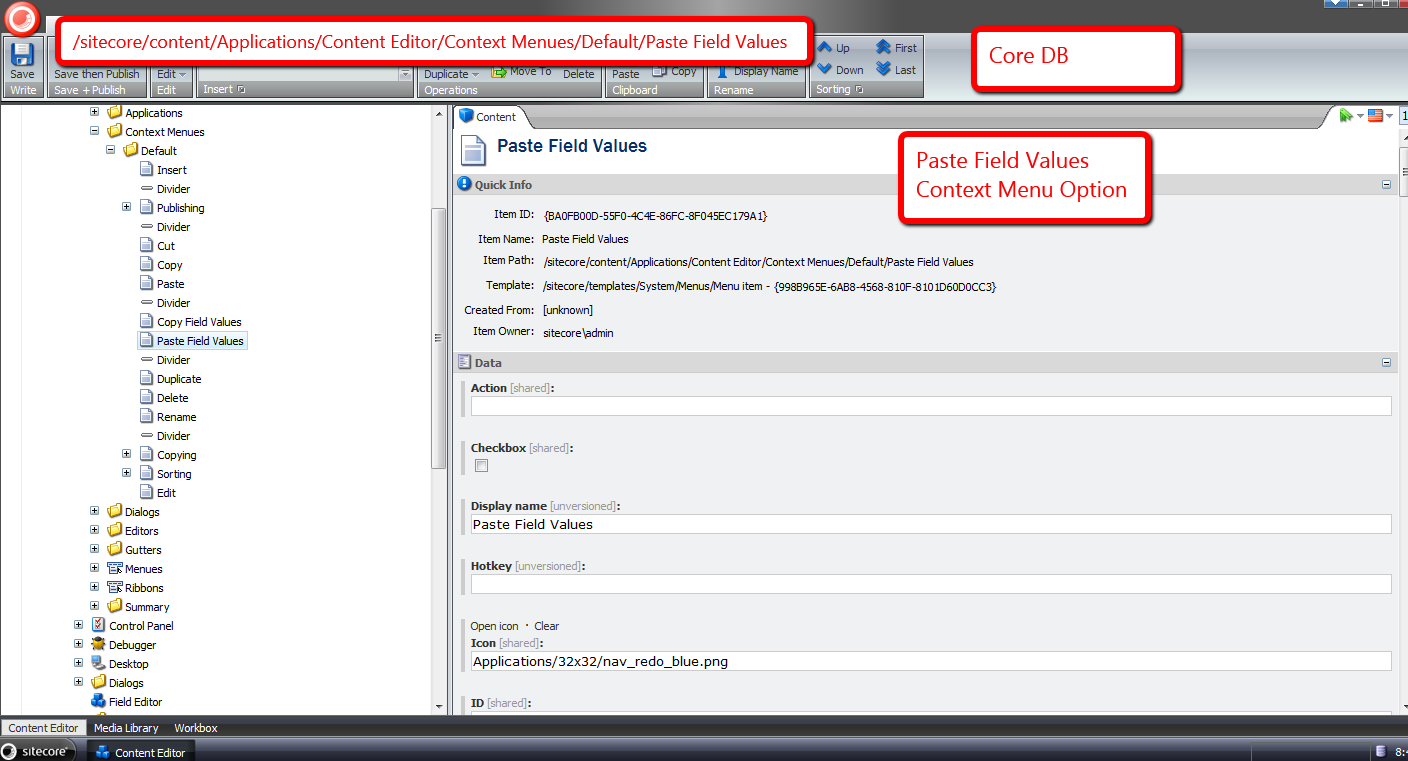
Let’s take all of the above for a spin.
I created an item with some content:

I then created another item with less content:
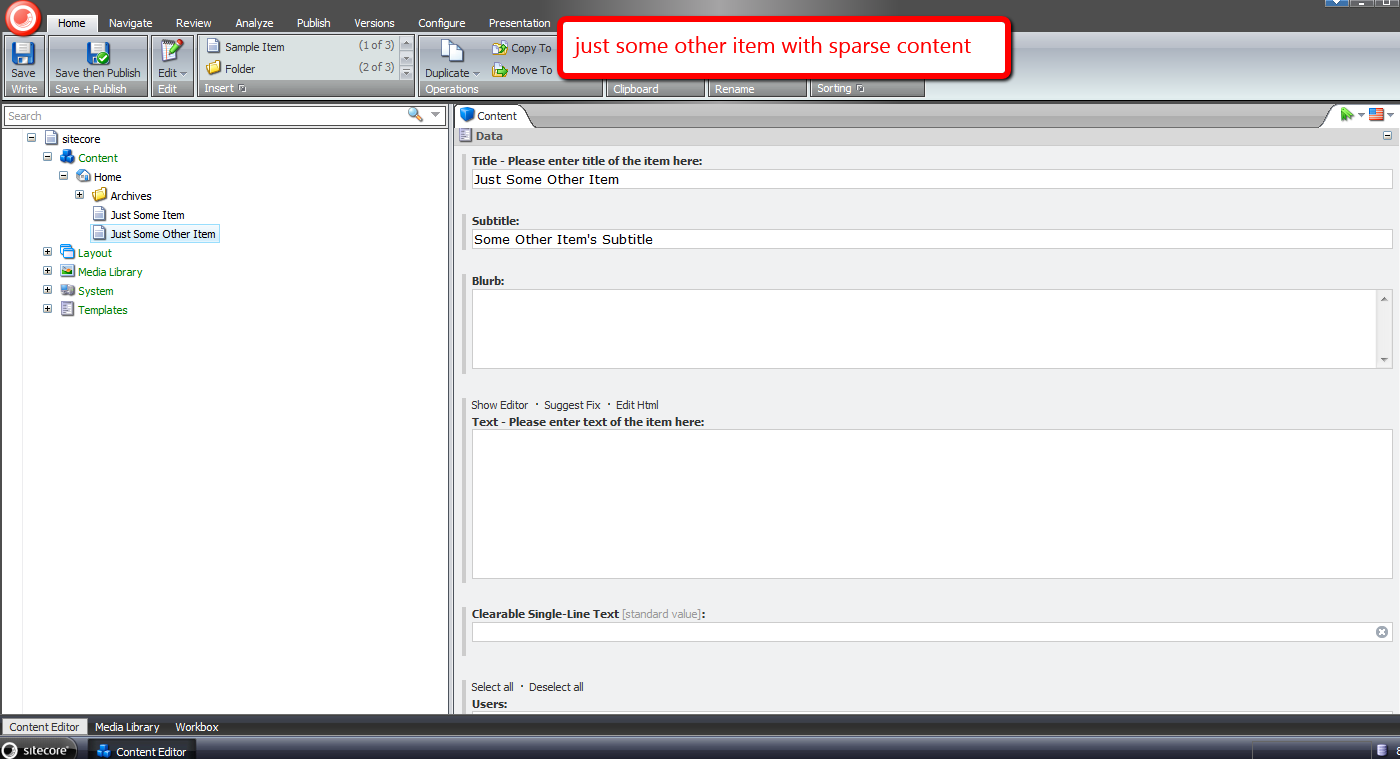
I right-clicked to launch the item context menu, and clicked the ‘Copy Field Values’ option:

I then navigated to the second item I created in the content tree, right-clicked, and selected the ‘Paste Field Values’ option:

By now, I had put my feet up on my desk thinking it was smooth sailing from this point on, only to be impeded by an intrusive confirmation box ;):

I clicked ‘Yes’, and saw the following thereafter:
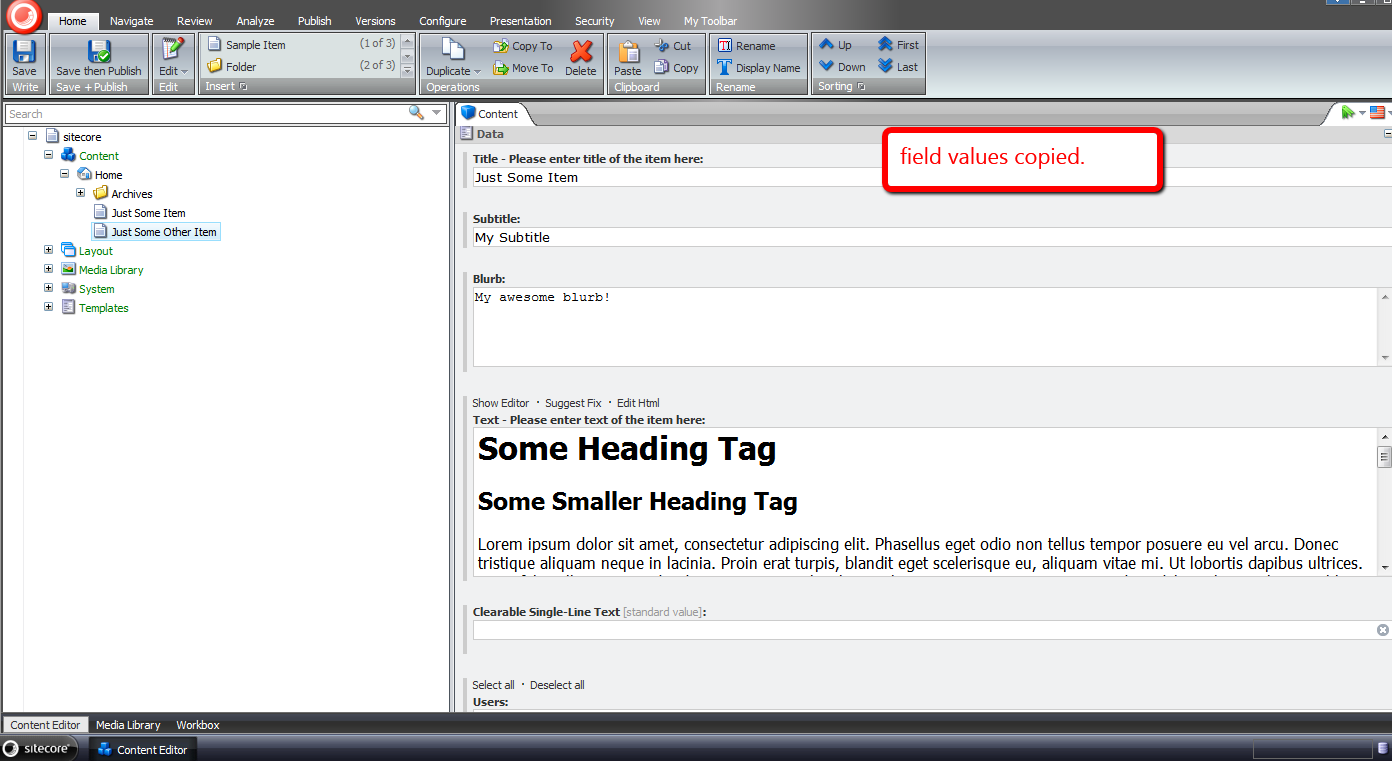
In retrospect, it probably would have made more sense to omit standard fields from being copied, albeit I will leave that for another day.
Until next time, have a Sitecoretastic day! 🙂
Empower Your Content Authors to Expand Standard Values Tokens in the Sitecore Client
Have you ever seen a Standard Values token — $name is an example of a Standard Values token — in an item’s field, and ask yourself “how the world did that get there”, or alternatively, “what can be done to replace it with what should be there?”
This can occur when tokens are added to an item’s template’s Standard Values node after the item was created — tokens are expanded once an item is created, not after the fact.
John West wrote a blog article highlighting one solution for eradicating this issue by using the Sitecore Rules Engine.
In this post, I am proposing a completely different solution — one that empowers content authors to expand unexpanded tokens by clicking a link in a custom content editor warning box.
First, I created a series of utility objects that ascertain whether “Source” objects contain substrings that we are interested in. All implement the following interface:
using System;
using System.Collections.Generic;
using System.Linq;
using System.Text;

namespace Sitecore.Sandbox.Utilities.StringUtilities.Base
{
    public interface ISubstringsChecker<T>
    {
        T Source { get; set; }

        IEnumerable<string> Substrings { get; set; }

        bool ContainsSubstrings();
    }
}
All of our “checkers” will have a “Source” object, a collection of substrings to look for, and a method to convey to calling code whether a substring in the collection of substrings had been found in the “Source” object.
I decided to create a base abstract class with some abstract methods along with one method to serve as a hook for asserting the Source object — albeit I did not use this method anywhere in my solution (come on Mike, you’re forgetting YAGNI — let’s get with the program).
Utimately, I am employing the template method pattern — all subclasses of this abstract base class will just fill in the defined abstract stubs, and the parent class will take care of the rest:
using System;
using System.Collections.Generic;
using System.Linq;
using System.Text;

namespace Sitecore.Sandbox.Utilities.StringUtilities.Base
{
    public abstract class SubstringsChecker<T> : ISubstringsChecker<T>
    {
        public T Source { get; set; }

        public virtual IEnumerable<string> Substrings { get; set; }

        protected SubstringsChecker(T source)
        {
            SetSource(source);
        }

        private void SetSource(T source)
        {
            AssertSource(source);
            Source = source;
        }

        protected virtual void AssertSource(T source)
        {
            // a hook for subclasses to assert Source objects
        }

        public bool ContainsSubstrings()
        {
            if (CanDoCheck())
            {
                return DoCheck();
            }

            return false;
        }

        protected abstract bool CanDoCheck();
        protected abstract bool DoCheck();
    }
}
The first “checker” I created will find substrings in a string. It made sense for me to start here, especially when we are ultimately checking strings at the most atomic level in our series of “checker” utility objects.
using System;
using System.Collections.Generic;
using System.Linq;
using System.Text;

using Sitecore.Diagnostics;

using Sitecore.Sandbox.Utilities.StringUtilities.Base;
using Sitecore.Sandbox.Utilities.StringUtilities.DTO;

namespace Sitecore.Sandbox.Utilities.StringUtilities
{
    public class StringSubstringsChecker : SubstringsChecker<string>
    {
        private StringSubstringsChecker(IEnumerable<string> substrings)
            : this(null, substrings)
        {
        }

        private StringSubstringsChecker(string source, IEnumerable<string> substrings)
            : base(source)
        {
            SetSubstrings(substrings);
        }

        private void SetSubstrings(IEnumerable<string> substrings)
        {
            AssertSubstrings(substrings);
            Substrings = substrings;
        }

        private static void AssertSubstrings(IEnumerable<string> substrings)
        {
            Assert.ArgumentNotNull(substrings, "substrings");
            Assert.ArgumentCondition(substrings.Any(), "substrings", "substrings must contain as at least one string!");
        }

        protected override bool CanDoCheck()
        {
            return !string.IsNullOrEmpty(Source);
        }

        protected override bool DoCheck()
        {
            Assert.ArgumentNotNullOrEmpty(Source, "Source");

            foreach (string substring in Substrings)
            {
                if (Source.Contains(substring))
                {
                    return true;
                }
            }

            return false;
        }

        public static ISubstringsChecker<string> CreateNewStringSubstringsContainer(IEnumerable<string> substrings)
        {
            return new StringSubstringsChecker(substrings);
        }

        public static ISubstringsChecker<string> CreateNewStringSubstringsContainer(string source, IEnumerable<string> substrings)
        {
            return new StringSubstringsChecker(substrings);
        }
    }
}
The next level up from strings would naturally be Fields. I designed this “checker” to consume an instance of the string “checker” defined above — all for the purposes of reuse. The field “checker” delegates calls to its string “checker” instance.
using System;
using System.Collections.Generic;
using System.Linq;
using System.Text;

using Sitecore.Data.Fields;
using Sitecore.Diagnostics;

using Sitecore.Sandbox.Utilities.StringUtilities.Base;

namespace Sitecore.Sandbox.Utilities.StringUtilities
{
    public class FieldSubstringsChecker : SubstringsChecker<Field>
    {
        private ISubstringsChecker<string> StringSubstringsChecker { get; set; }

        public override IEnumerable<string> Substrings
        {
            get
            {
                return StringSubstringsChecker.Substrings;
            }
            set
            {
                StringSubstringsChecker.Substrings = value;
            }
        }

        private FieldSubstringsChecker(ISubstringsChecker<string> stringSubstringsChecker)
            : this(null, stringSubstringsChecker)
        {
        }

        private FieldSubstringsChecker(Field source, ISubstringsChecker<string> stringSubstringsChecker)
            : base(source)
        {
            SetStringSubstringsChecker(stringSubstringsChecker);
        }

        private void SetStringSubstringsChecker(ISubstringsChecker<string> stringSubstringsChecker)
        {
            Assert.ArgumentNotNull(stringSubstringsChecker, "stringSubstringsChecker");
            StringSubstringsChecker = stringSubstringsChecker;
        }

        protected override bool CanDoCheck()
        {
            return Source != null;
        }

        protected override bool DoCheck()
        {
            Assert.ArgumentNotNull(Source, "Source");
            StringSubstringsChecker.Source = Source.Value;
            return StringSubstringsChecker.ContainsSubstrings();
        }

        public static ISubstringsChecker<Field> CreateNewFieldSubstringsChecker(ISubstringsChecker<string> stringSubstringsChecker)
        {
            return new FieldSubstringsChecker(stringSubstringsChecker);
        }

        public static ISubstringsChecker<Field> CreateNewFieldSubstringsChecker(Field source, ISubstringsChecker<string> stringSubstringsChecker)
        {
            return new FieldSubstringsChecker(source, stringSubstringsChecker);
        }
    }
}
If I were to ask you what the next level up in our series of “checkers” would be, I hope your answer would be Items. Below is a “checker” that uses an Item as its “Source” object, and delegates calls to an instance of a field “checker”.
using System;
using System.Collections.Generic;
using System.Linq;
using System.Text;

using Sitecore.Data.Fields;
using Sitecore.Data.Items;
using Sitecore.Diagnostics;

using Sitecore.Sandbox.Utilities.StringUtilities.Base;

namespace Sitecore.Sandbox.Utilities.StringUtilities
{
    public class ItemSubstringsChecker : SubstringsChecker<Item>
    {
        private ISubstringsChecker<Field> FieldSubstringsChecker { get; set; }

        public override IEnumerable<string> Substrings
        {
            get
            {
                return FieldSubstringsChecker.Substrings;
            }
            set
            {
                FieldSubstringsChecker.Substrings = value;
            }
        }

        private ItemSubstringsChecker(ISubstringsChecker<Field> fieldSubstringsChecker)
            : this(null, fieldSubstringsChecker)
        {
        }

        private ItemSubstringsChecker(Item source, ISubstringsChecker<Field> fieldSubstringsChecker)
            : base(source)
        {
            SetFieldSubstringsChecker(fieldSubstringsChecker);
        }

        private void SetFieldSubstringsChecker(ISubstringsChecker<Field> fieldSubstringsChecker)
        {
            Assert.ArgumentNotNull(fieldSubstringsChecker, "fieldSubstringsChecker");
            FieldSubstringsChecker = fieldSubstringsChecker;
        }

        protected override bool CanDoCheck()
        {
            return Source != null && Source.Fields != null && Source.Fields.Any();
        }

        protected override bool DoCheck()
        {
            Assert.ArgumentNotNull(Source, "Source");
            bool containsSubstrings = false;

            for (int i = 0; !containsSubstrings && i < Source.Fields.Count; i++)
            {
                containsSubstrings = containsSubstrings || DoesFieldContainSubstrings(Source.Fields[i]);
            }

            return containsSubstrings;
        }

        private bool DoesFieldContainSubstrings(Field field)
        {
            FieldSubstringsChecker.Source = field;
            return FieldSubstringsChecker.ContainsSubstrings();
        }

        public static ISubstringsChecker<Item> CreateNewItemSubstringsChecker(ISubstringsChecker<Field> fieldSubstringsChecker)
        {
            return new ItemSubstringsChecker(fieldSubstringsChecker);
        }

        public static ISubstringsChecker<Item> CreateNewItemSubstringsChecker(Item source, ISubstringsChecker<Field> fieldSubstringsChecker)
        {
            return new ItemSubstringsChecker(source, fieldSubstringsChecker);
        }
    }
}
Next, I wrote code for a content editor warning box. I’m am completely indebted to .NET Reflector in helping out on this front — I looked at other content editor warning pipelines in Sitecore.Pipelines.GetContentEditorWarnings within Sitecore.Kernel to see how this is done:
using System;
using System.Collections.Generic;
using System.Linq;
using System.Text;

using Sitecore.Configuration;
using Sitecore.Data.Fields;
using Sitecore.Data.Items;
using Sitecore.Diagnostics;
using Sitecore.Globalization;
using Sitecore.Pipelines.GetContentEditorWarnings;

using Sitecore.Sandbox.Utilities.StringUtilities.Base;
using Sitecore.Sandbox.Utilities.StringUtilities;

namespace Sitecore.Sandbox.Pipelines.GetContentEditorWarnings
{
    public class HasUnexpandedTokens
    {
        private static readonly ISubstringsChecker<Item> SubstringsChecker = CreateNewItemSubstringsChecker();

        public void Process(GetContentEditorWarningsArgs args)
        {
            Assert.ArgumentNotNull(args, "args");
            if (CanExpandTokens(args.Item))
            {
                AddHasUnexpandedTokensWarning(args);
            }
        }

        private static bool CanExpandTokens(Item item)
        {
            Assert.ArgumentNotNull(item, "item");
            return !IsStandardValues(item) && DoesItemContainUnexpandedTokens(item);
        }

        private static bool DoesItemContainUnexpandedTokens(Item item)
        {
            Assert.ArgumentNotNull(item, "item");
            SubstringsChecker.Source = item;
            return SubstringsChecker.ContainsSubstrings();
        }

        private static bool IsStandardValues(Item item)
        {
            return item.Template.StandardValues.ID == item.ID;
        }

        private static void AddHasUnexpandedTokensWarning(GetContentEditorWarningsArgs args)
        {
            GetContentEditorWarningsArgs.ContentEditorWarning warning = args.Add();
            warning.Title = Translate.Text("Some fields contain unexpanded tokens.");
            warning.Text = Translate.Text("To expand tokens, click Expand Tokens.");
            warning.AddOption(Translate.Text("Expand Tokens"), "item:expandtokens");
        }

        private static ISubstringsChecker<Item> CreateNewItemSubstringsChecker()
        {
            return ItemSubstringsChecker.CreateNewItemSubstringsChecker(CreateNewFieldSubstringsChecker());
        }

        private static ISubstringsChecker<Field> CreateNewFieldSubstringsChecker()
        {
            return FieldSubstringsChecker.CreateNewFieldSubstringsChecker(CreateNewStringSubstringsChecker());
        }

        private static ISubstringsChecker<string> CreateNewStringSubstringsChecker()
        {
            return StringSubstringsChecker.CreateNewStringSubstringsContainer(GetTokens());
        }

        private static IEnumerable<string> GetTokens()
        {
            return Factory.GetStringSet("tokens/token");
        }
    }
}
In my pipeline above, I am pulling a collection of token names from Sitecore configuration — these are going to be defined in a patch include file below. I had to go down this road since these tokens are not publically exposed in the Sitecore API.
Plus, we should only allow for the expansion of tokens when not on the Standard values item — it wouldn’t make much sense to expand these tokens here.
Since I’m referencing a new command in the above pipeline — a command that I’ve named “item:expandtokens” — it’s now time to create that new command:
using System;
using System.Collections.Generic;
using System.Linq;
using System.Text;

using Sitecore.Configuration;
using Sitecore.Data;
using Sitecore.Data.Fields;
using Sitecore.Data.Items;
using Sitecore.Diagnostics;
using Sitecore.Shell.Framework.Commands;

using Sitecore.Sandbox.Utilities.StringUtilities;
using Sitecore.Sandbox.Utilities.StringUtilities.Base;
using Sitecore.Sandbox.Utilities.StringUtilities.DTO;

namespace Sitecore.Sandbox.Commands
{
    public class ExpandTokens : Command
    {
        public override void Execute(CommandContext commandContext)
        {
            if (!DoesCommandContextContainOneItem(commandContext))
            {
                return;
            }

            ExpandTokensInItem(GetCommandContextItem(commandContext));
        }

        private static void ExpandTokensInItem(Item item)
        {
            Assert.ArgumentNotNull(item, "item");
            item.Fields.ReadAll();
            item.Editing.BeginEdit();
            ExpandTokensViaMasterVariablesReplacer(item);
            item.Editing.EndEdit();
        }

        private static void ExpandTokensViaMasterVariablesReplacer(Item item)
        {
            MasterVariablesReplacer masterVariablesReplacer = Factory.GetMasterVariablesReplacer();
            masterVariablesReplacer.ReplaceItem(item);
        }

        public override CommandState QueryState(CommandContext commandContext)
        {
            if (ShouldHideCommand(commandContext))
            {
                return CommandState.Hidden;
            }

            if (ShouldDisableCommand(commandContext))
            {
                return CommandState.Disabled;
            }

            return base.QueryState(commandContext);
        }

        private bool ShouldHideCommand(CommandContext commandContext)
        {
            Assert.ArgumentNotNull(commandContext, "commandContext");
            return !DoesCommandContextContainOneItem(commandContext)
                    || !HasField(GetCommandContextItem(commandContext), FieldIDs.ReadOnly);
        }

        private static bool ShouldDisableCommand(CommandContext commandContext)
        {
            AssertCommandContextItems(commandContext);
            Item item = GetCommandContextItem(commandContext);

            return !item.Access.CanWrite()
                    || Command.IsLockedByOther(item)
                    || !Command.CanWriteField(item, FieldIDs.ReadOnly);
        }

        private static Item GetCommandContextItem(CommandContext commandContext)
        {
            Assert.ArgumentNotNull(commandContext, "commandContext");
            Assert.ArgumentNotNull(commandContext.Items, "commandContext.Items");
            return commandContext.Items.FirstOrDefault();
        }

        private static bool DoesCommandContextContainOneItem(CommandContext commandContext)
        {
            AssertCommandContextItems(commandContext);
            return commandContext.Items.Length == 1;
        }

        private static void AssertCommandContextItems(CommandContext commandContext)
        {
            Assert.ArgumentNotNull(commandContext, "commandContext");
            Assert.ArgumentNotNull(commandContext.Items, "commandContext.Items");
        }
    }
}
This new command just uses an instance of Sitecore.Data.MasterVariablesReplacer to expand Standard Values tokens on our item.
I had to register this command in the /App_Config/Commands.config file:
<?xml version="1.0" encoding="utf-8" ?>
<configuration>
	<! -- A bunch of commands defined here -->

	<command name="item:expandtokens" type="Sitecore.Sandbox.Commands.ExpandTokens,Sitecore.Sandbox" />

	<! -- A bunch more defined here too -->
</configuration>
I then put all the pieces together using a patch include config file:
<?xml version="1.0" encoding="utf-8"?>
<configuration xmlns:patch="http://www.sitecore.net/xmlconfig/">
  <sitecore>
    <pipelines>
      <getContentEditorWarnings>
        <processor type="Sitecore.Sandbox.Pipelines.GetContentEditorWarnings.HasUnexpandedTokens, Sitecore.Sandbox"/>
      </getContentEditorWarnings>
    </pipelines>
    <tokens>
      <token>$name</token>
      <token>$id</token>
      <token>$parentid</token>
      <token>$parentname</token>
      <token>$date</token>
      <token>$time</token>
      <token>$now</token>
    </tokens>
  </sitecore>
</configuration>
Let’s create an item for testing:

As you can see, the item’s Title field was populated automatically during item creation — the $name token lives on this item’s template’s Standard Values item in Sitecore and was expanded when we created our test item.
Let’s create the problem we are trying to solve by adding new tokens to our test item’s template’s Standard Values node:

As you can see, these new tokens appear in fields in our test item. However, don’t fret — we now have a way to fix this issue. 🙂

I clicked on the ‘Expand Tokens’ link, and saw the following:

Hopefully, this post has given you another weapon to add to your arsenal for solving the unexpanded tokens issue on existing items in Sitecore.
If you find another solution, please drop me a line — I would love to hear about it.
Dude, Where’s My Processor? Filling the Void in the SaveRichTextContent and LoadRichTextContent Sitecore Pipelines
Some of you might be aware that I frequently go through the Web.config of my local instance of Sitecore looking for opportunities to extend or customize class files referenced within it — I may have mentioned this in a previous post, and no doubt have told some Sitecore developers/enthusiasts in person I do this at least once per day. I must confess: I usually do this multiple times a day.
Last night, I was driven to explore something I have noticed in the Web.config of my v6.5 instance — my attention has been usurped many times by the saveRichTextContent and loadRichTextContent pipeline nodes being empty.
These two pipelines allow you to make changes to content within Rich Text fields before any save actions on your item in the Sitecore client.
I remembered that one of them did have a pipeline processor defined within it at one point. It was time to do some research.
After conducting some research — truth be told, I only googled a couple of times — I stumbled upon some release notes on SDN discussing the saveRichTextContent Web.config pipeline, and that this pipeline did contain a processor in it at one point — the Sitecore.Shell.Controls.RichTextEditor.Pipelines.SaveRichTextContent.EmbedInParagraph processor — although I don’t remember what this processor did, and don’t have an older version of Sitecore.Client.dll to investigate. I could download an older version of Sitecore from SDN, but decided to leave that exercise for another snowy weekend.
I decided to explore whether the option to add custom processors to these pipelines still existed. I came up with an idea straight out of the 1990’s — having marquee tags animate content across my pages.
As an aside, back in the 1990’s, almost every webpage — all webpages were called homepages then — had at least one marquee. Most had multiple — it was the cool thing to do back then, asymptotic only to having an ‘Under Construction’ image on your homepage. Employing this practice today would be considered anathema.
I decided to reuse my concept of manipulator from my Manipulate Field Values in a Custom Sitecore Web Forms for Marketers DataProvider article, and created a new manipulator to wrap specified tags in marquee tags:
using System;
using System.Collections.Generic;
using System.Linq;
using System.Text;

namespace Sitecore.Sandbox.Utilities.Manipulators.Base
{
    public interface IWrapHtmlTagsInTagManipulator : IManipulator<string>
    {
    }
}
I thought it would be a good idea to define a DTO for my manipulator to pass objects to it in a clean manner:
using System;
using System.Collections.Generic;
using System.Linq;
using System.Text;

namespace Sitecore.Sandbox.Utilities.Manipulators.DTO
{
    public class WrapHtmlTagsInTagManipulatorSettings
    {
        public string WrapperTag { get; set; }
        public IEnumerable<string> TagsToWrap { get; set; }
    }
}
Next, I built my manipulator:
using System;
using System.Collections.Generic;
using System.Linq;
using System.Text;

using Sitecore.Diagnostics;

using Sitecore.Sandbox.Utilities.Manipulators.Base;
using Sitecore.Sandbox.Utilities.Manipulators.DTO;

using HtmlAgilityPack;

namespace Sitecore.Sandbox.Utilities.Manipulators
{
    public class WrapHtmlTagsInTagManipulator : IWrapHtmlTagsInTagManipulator
    {
        private WrapHtmlTagsInTagManipulatorSettings Settings { get; set; }

        private WrapHtmlTagsInTagManipulator(WrapHtmlTagsInTagManipulatorSettings settings)
        {
            SetSettings(settings);
        }

        private void SetSettings(WrapHtmlTagsInTagManipulatorSettings settings)
        {
            AssertSettings(settings);
            Settings = settings;
        }

        private static void AssertSettings(WrapHtmlTagsInTagManipulatorSettings settings)
        {
            Assert.ArgumentNotNull(settings, "settings");
            Assert.ArgumentNotNullOrEmpty(settings.WrapperTag, "settings.WrapperTag");
            Assert.ArgumentNotNull(settings.TagsToWrap, "settings.TagsToWrap");
        }

        public string Manipulate(string html)
        {
            Assert.ArgumentNotNullOrEmpty(html, "html");
            HtmlNode documentNode = GetHtmlDocumentNode(html);

            foreach (string tagToWrap in Settings.TagsToWrap)
            {
                WrapTags(documentNode, tagToWrap);
            }

            return documentNode.InnerHtml;
        }

        private void WrapTags(HtmlNode documentNode, string tagToWrap)
        {
            HtmlNodeCollection htmlNodes = documentNode.SelectNodes(CreateNewDescendantsSelector(tagToWrap));

            foreach(HtmlNode htmlNode in htmlNodes)
            {
                WrapHtmlNodeIfApplicable(documentNode, htmlNode);
            }
        }

        private void WrapHtmlNodeIfApplicable(HtmlNode documentNode, HtmlNode htmlNode)
        {
            if (!AreEqualIgnoreCase(htmlNode.ParentNode.Name, Settings.WrapperTag))
            {
                WrapHtmlNode(documentNode, htmlNode, Settings.WrapperTag);
            }
        }

        private static void WrapHtmlNode(HtmlNode documentNode, HtmlNode htmlNode, string wrapperTag)
        {
            HtmlNode wrapperHtmlNode = documentNode.OwnerDocument.CreateElement(wrapperTag);
            AddNewParent(wrapperHtmlNode, htmlNode);
        }

        private static void AddNewParent(HtmlNode newParentHtmlNode, HtmlNode htmlNode)
        {
            Assert.ArgumentNotNull(newParentHtmlNode, "newParentHtmlNode");
            Assert.ArgumentNotNull(htmlNode, "htmlNode");
            htmlNode.ParentNode.ReplaceChild(newParentHtmlNode, htmlNode);
            newParentHtmlNode.AppendChild(htmlNode);
        }

        private static bool AreEqualIgnoreCase(string stringOne, string stringTwo)
        {
            return string.Equals(stringOne, stringTwo, StringComparison.InvariantCultureIgnoreCase);
        }

        private static string CreateNewDescendantsSelector(string tag)
        {
            Assert.ArgumentNotNullOrEmpty(tag, "tag");
            return string.Format("//{0}", tag);
        }

        private HtmlNode GetHtmlDocumentNode(string html)
        {
            HtmlDocument htmlDocument = CreateNewHtmlDocument(html);
            return htmlDocument.DocumentNode;
        }

        private HtmlDocument CreateNewHtmlDocument(string html)
        {
            HtmlDocument htmlDocument = new HtmlDocument();
            htmlDocument.LoadHtml(html);
            return htmlDocument;
        }

        public static IWrapHtmlTagsInTagManipulator CreateNewWrapHtmlTagsInTagManipulator(WrapHtmlTagsInTagManipulatorSettings settings)
        {
            return new WrapHtmlTagsInTagManipulator(settings);
        }
    }
}
My manipulator class above uses Html Agility Pack to find targeted html elements, and wrap them in newly created marquee tags — which are also created via Html Agility Pack.
I decided to create a base class to contain core logic that will be used across both of my pipeline processors:
using System;
using System.Collections.Generic;
using System.Linq;
using System.Text;

using Sitecore.Sandbox.Utilities.Manipulators;
using Sitecore.Sandbox.Utilities.Manipulators.Base;
using Sitecore.Sandbox.Utilities.Manipulators.DTO;

namespace Sitecore.Sandbox.Shell.Controls.RichTextEditor.Pipelines.Base
{
    public abstract class AddSomeMarqueesBase
    {
        private IWrapHtmlTagsInTagManipulator _HtmlManipulator;
        private IWrapHtmlTagsInTagManipulator HtmlManipulator
        {
            get
            {
                if(_HtmlManipulator == null)
                {
                    _HtmlManipulator = CreateNewWrapHtmlTagsInTagManipulator();
                }

                return _HtmlManipulator;
            }
        }

        private IWrapHtmlTagsInTagManipulator CreateNewWrapHtmlTagsInTagManipulator()
        {
            return WrapHtmlTagsInTagManipulator.CreateNewWrapHtmlTagsInTagManipulator(CreateNewWrapHtmlTagsInTagManipulatorSettings());
        }

        protected virtual WrapHtmlTagsInTagManipulatorSettings CreateNewWrapHtmlTagsInTagManipulatorSettings()
        {
            return new WrapHtmlTagsInTagManipulatorSettings
            {
                WrapperTag = "marquee",
                TagsToWrap = new string[] { "em", "img" }
            };
        }

        protected virtual string ManipulateHtml(string html)
        {
            if (!string.IsNullOrEmpty(html))
            {
                return HtmlManipulator.Manipulate(html);
            }

            return html;
        }
    }
}
This base class creates an instance of our manipulator class above, passing in the required DTO housing the wrapper tag and tags to wrap settings.
Honestly, while writing this article and looking at this code, I am not completely happy about how I implemented this base class. I should have added a constructor which takes in the manipulator instance — thus allowing subclasses to provide their own manipulators, especially if these subclasses need to use a different manipulator than the one used by default in the base class.
Further, it probably would have been prudent to put the html tags I defined in my DTO instance into a patch config file.
Next, I defined my loadRichTextContent pipeline processor:
using System;
using System.Collections.Generic;
using System.Linq;
using System.Text;

using Sitecore.Shell.Controls.RichTextEditor.Pipelines.LoadRichTextContent;

using Sitecore.Sandbox.Shell.Controls.RichTextEditor.Pipelines.Base;

namespace Sitecore.Sandbox.Shell.Controls.RichTextEditor.Pipelines.LoadRichTextContent
{
    public class AddSomeMarquees : AddSomeMarqueesBase
    {
        public void Process(LoadRichTextContentArgs args)
        {
            args.Content = ManipulateHtml(args.Content);
        }
    }
}
Followed by my saveRichTextContentpipeline processor:
using System;
using System.Collections.Generic;
using System.Linq;
using System.Text;

using Sitecore.Shell.Controls.RichTextEditor.Pipelines.SaveRichTextContent;

using Sitecore.Sandbox.Shell.Controls.RichTextEditor.Pipelines.Base;

namespace Sitecore.Sandbox.Shell.Controls.RichTextEditor.Pipelines.SaveRichTextContent
{
    public class AddSomeMarquees : AddSomeMarqueesBase
    {
        public void Process(SaveRichTextContentArgs args)
        {
            args.Content = ManipulateHtml(args.Content);
        }
    }
}
Thereafter, I glued everything together via a patch config file:
<?xml version="1.0" encoding="utf-8" ?>
<configuration xmlns:patch="http://www.sitecore.net/xmlconfig/">
  <sitecore>
    <pipelines>
      <loadRichTextContent>
        <processor type="Sitecore.Sandbox.Shell.Controls.RichTextEditor.Pipelines.LoadRichTextContent.AddSomeMarquees, Sitecore.Sandbox"/>
      </loadRichTextContent>
      <saveRichTextContent>
        <processor type="Sitecore.Sandbox.Shell.Controls.RichTextEditor.Pipelines.SaveRichTextContent.AddSomeMarquees, Sitecore.Sandbox"/>
      </saveRichTextContent>
    </pipelines>
  </sitecore>
</configuration>
Time to see the fruits of my labor above.
I’ve added some content in a Rich Text field:
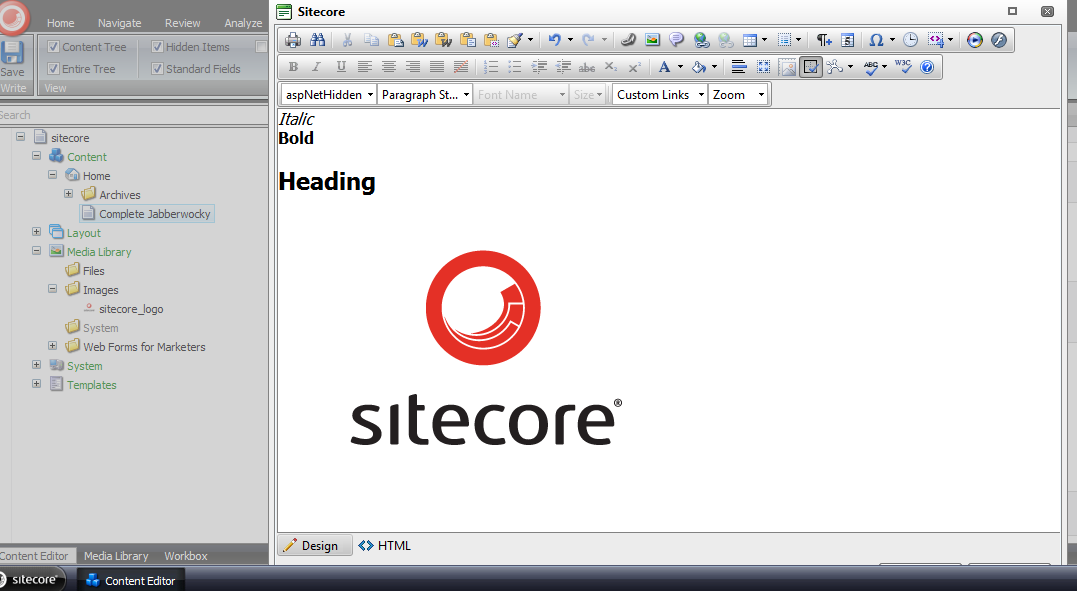
Here’s the html in the Rich Text field:

I clicked the ‘Accept’ button in the Rich Text dialog window, and then saw the targeted content come to life:
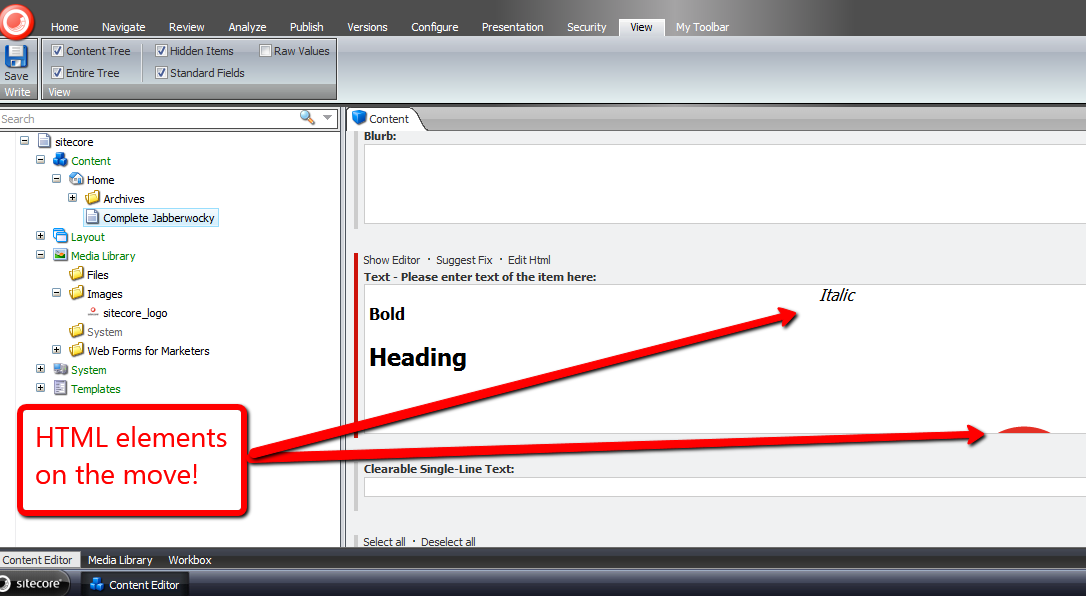
I launched the dialog window again to investigate what the html now looks like:
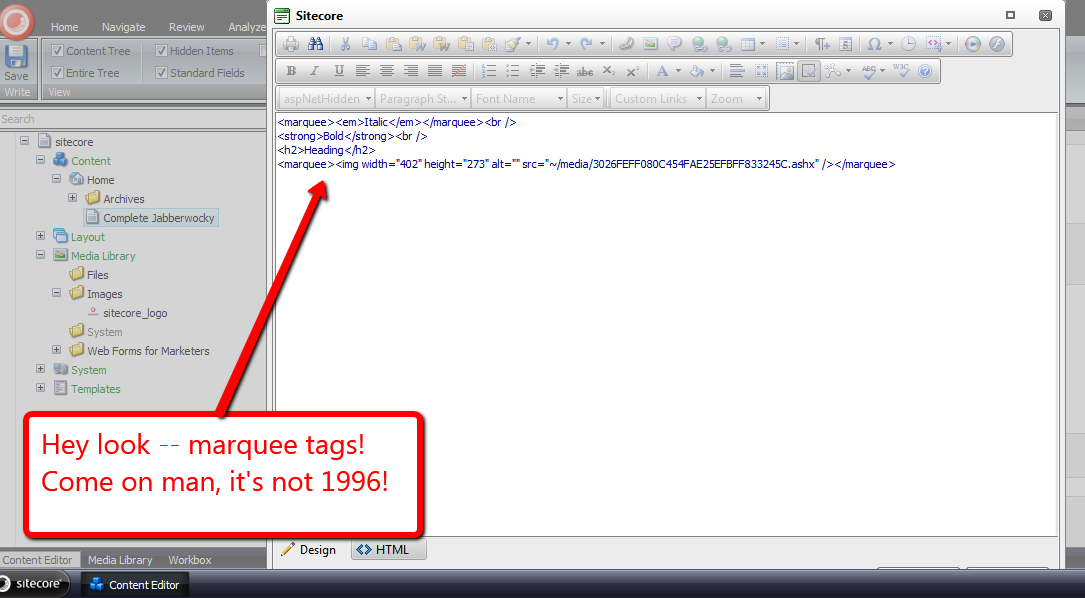
Mission accomplished — we now have marquees! 🙂
I do want to point out I could not get my loadRichTextContent pipeline processor to run. I thought it would run when opening the Rich Text dialog, although I was wrong — it did not. I also tried to get it to run via the ‘Edit Html’ button, but to no avail.
If I am looking in the wrong place, or this is a known issue in Sitecore, please drop a comment and let me know.
Shoehorn Sitecore Web Forms for Marketers Field Values During a Custom Save Action
In a previous article, I discussed how one could remove Web Forms for Marketers (WFFM) field values before saving form data into the WFFM database — which ultimately make their way into the Form Reports for your form.
When I penned that article, my intentions were not to write an another highlighting the polar opposite action of inserting field values — I figured one could easily ascertain how to do this from that article.
However, last night I started to feel some guilt for not sharing how one could do this — there is one step in this process that isn’t completely intuitive — so I worked late into the night developing a solution of how one would go about doing this, and this article is the fruit of that effort.
Besides, how often does one get the opportunity to use the word shoehorn? If you aren’t familiar with what a shoehorn is, check out this article. I am using the word as an action verb in this post — meaning to insert values for fields in the WFFM database. 🙂
I first defined a utility class and its interfaces for shoehorning field values into a AdaptedResultList collection — a collection of WFFM fields:
using System;
using System.Collections.Generic;
using System.Linq;
using System.Text;

namespace Sitecore.Sandbox.Utilities.Shoehorns.Base
{
    public interface IShoehorn<T, U>
    {
        U Shoehorn(T source);
    }
}
using System;
using System.Collections.Generic;
using System.Linq;
using System.Text;

using Sitecore.Form.Core.Client.Data.Submit;

using Sitecore.Sandbox.Utilities.Shoehorns.Base;

namespace Sitecore.Sandbox.Utilities.Shoehorns.Base
{
    public interface IWFFMFieldValuesShoehorn : IShoehorn<AdaptedResultList, AdaptedResultList>
    {
    }
}
using System;
using System.Collections.Generic;
using System.Linq;
using System.Text;

using Sitecore.Diagnostics;
using Sitecore.Form.Core.Client.Data.Submit;
using Sitecore.Form.Core.Controls.Data;

using Sitecore.Sandbox.Utilities.Shoehorns.Base;

namespace Sitecore.Sandbox.Utilities.Shoehorns
{
    public class WFFMFieldValuesShoehorn : IWFFMFieldValuesShoehorn
    {
        private IDictionary<string, string> _FieldsForShoehorning;
        private IDictionary<string, string> FieldsForShoehorning
        {
            get
            {
                if (_FieldsForShoehorning == null)
                {
                    _FieldsForShoehorning = new Dictionary<string, string>();
                }

                return _FieldsForShoehorning;
            }
        }

        private WFFMFieldValuesShoehorn(IEnumerable<KeyValuePair<string, string>> fieldsForShoehorning)
        {
            SetFieldsForShoehorning(fieldsForShoehorning);
        }

        private void SetFieldsForShoehorning(IEnumerable<KeyValuePair<string, string>> fieldsForShoehorning)
        {
            AssertFieldsForShoehorning(fieldsForShoehorning);

            foreach (var keyValuePair in fieldsForShoehorning)
            {
                AddToDictionaryIfPossible(keyValuePair);
            }
        }

        private void AddToDictionaryIfPossible(KeyValuePair<string, string> keyValuePair)
        {
            if (!FieldsForShoehorning.ContainsKey(keyValuePair.Key))
            {
                FieldsForShoehorning.Add(keyValuePair.Key, keyValuePair.Value);
            }
        }

        private static void AssertFieldsForShoehorning(IEnumerable<KeyValuePair<string, string>> fieldsForShoehorning)
        {
            Assert.ArgumentNotNull(fieldsForShoehorning, "fieldsForShoehorning");

            foreach (var keyValuePair in fieldsForShoehorning)
            {
                Assert.ArgumentNotNullOrEmpty(keyValuePair.Key, "keyValuePair.Key");
            }
        }

        public AdaptedResultList Shoehorn(AdaptedResultList fields)
        {
            if (!CanProcessFields(fields))
            {
                return fields;
            }

            List<AdaptedControlResult> adaptedControlResults = new List<AdaptedControlResult>();

            foreach(AdaptedControlResult field in fields)
            {
                adaptedControlResults.Add(GetShoehornedField(field));
            }

            return adaptedControlResults;
        }

        private static bool CanProcessFields(IEnumerable<ControlResult> fields)
        {
            return fields != null && fields.Any();
        }

        private AdaptedControlResult GetShoehornedField(AdaptedControlResult field)
        {
            string value = string.Empty;

            if (FieldsForShoehorning.TryGetValue(field.FieldName, out value))
            {
                return GetShoehornedField(field, value);
            }

            return field;
        }

        private static AdaptedControlResult GetShoehornedField(ControlResult field, string value)
        {
            return new AdaptedControlResult(CreateNewControlResultWithValue(field, value), true);
        }

        private static ControlResult CreateNewControlResultWithValue(ControlResult field, string value)
        {
            ControlResult controlResult = new ControlResult(field.FieldName, value, field.Parameters);
            controlResult.FieldID = field.FieldID;
            return controlResult;
        }

        public static IWFFMFieldValuesShoehorn CreateNewWFFMFieldValuesShoehorn(IEnumerable<KeyValuePair<string, string>> fieldsForShoehorning)
        {
            return new WFFMFieldValuesShoehorn(fieldsForShoehorning);
        }
    }
}
This class is similar to the utility class I’ve used in my article on ripping out field values, albeit we are inserting values that don’t necessarily have to be the empty string.
I then defined a new WFFM field type — an invisible field that serves as a placeholder in our Form Reports for a given form. This is the non-intuitive step I was referring to above:
using System;
using System.Collections.Generic;
using System.ComponentModel;
using System.Linq;
using System.Text;
using System.Web.UI;
using System.Web.UI.WebControls;

using Sitecore.Diagnostics;

using Sitecore.Form.Web.UI.Controls;

namespace Sitecore.Sandbox.WFFM.Controls
{
    public class InvisibleField : SingleLineText
    {
        public InvisibleField()
        {
        }

        public InvisibleField(HtmlTextWriterTag tag)
            : base(tag)
        {
        }

        protected override void OnInit(EventArgs e)
        {
            base.OnInit(e);
            HideControls(new Control[] { title, generalPanel });
        }

        private static void HideControls(IEnumerable<Control> controls)
        {
            Assert.ArgumentNotNull(controls, "controls");

            foreach (Control control in controls)
            {
                HideControl(control);
            }
        }

        private static void HideControl(Control control)
        {
            Assert.ArgumentNotNull(control, "control");
            control.Visible = false;
        }
    }
}
I had to register this new field in WFFM in the Sitecore Client under /sitecore/system/Modules/Web Forms for Marketers/Settings/Field Types/Custom:
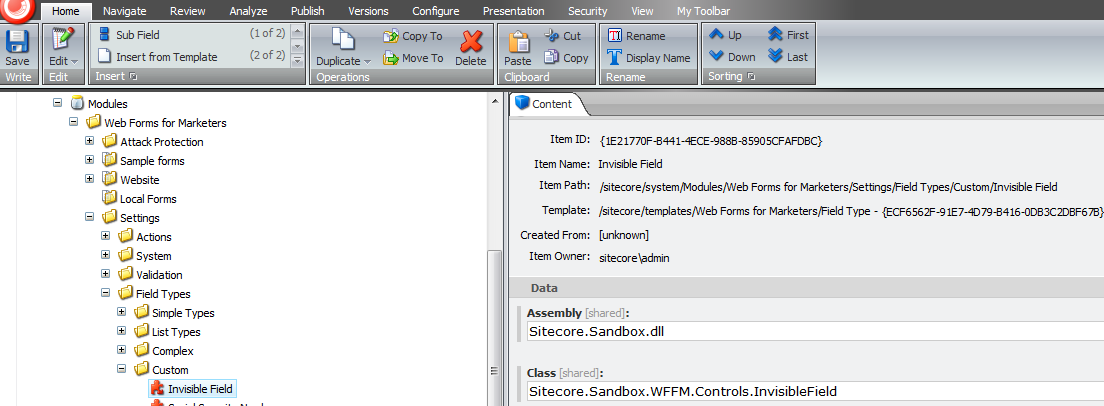
Next, I created a custom field action that processes WFFM fields — and shoehorns values into fields where appropriate.
In my example, I will be capturing users’ browser user agent strings and their ASP.NET session identifiers — I strongly recommend defining your field names in a patch config file, although I did not do such a step for this post:
using System;
using System.Collections.Generic;
using System.Linq;
using System.Text;
using System.Web;

using Sitecore.Data;
using Sitecore.Form.Core.Client.Data.Submit;
using Sitecore.Form.Submit;

using Sitecore.Sandbox.Utilities.Shoehorns;
using Sitecore.Sandbox.Utilities.Shoehorns.Base;

namespace Sitecore.Sandbox.WFFM.Actions
{
    public class ShoehornFieldValuesThenSaveToDatabase : SaveToDatabase
    {
        public override void Execute(ID formId, AdaptedResultList fields, object[] data)
        {
            base.Execute(formId, ShoehornFields(fields), data);
        }

        private AdaptedResultList ShoehornFields(AdaptedResultList fields)
        {
            IWFFMFieldValuesShoehorn shoehorn = WFFMFieldValuesShoehorn.CreateNewWFFMFieldValuesShoehorn(CreateNewFieldsForShoehorning());
            return shoehorn.Shoehorn(fields);
        }

        private IEnumerable<KeyValuePair<string, string>> CreateNewFieldsForShoehorning()
        {
            return new KeyValuePair<string, string>[]
            {
                new KeyValuePair<string, string>("User Agent", HttpContext.Current.Request.UserAgent),
                new KeyValuePair<string, string>("Session ID", HttpContext.Current.Session.SessionID)
            };
        }
    }
}
I then registered my new Save to Database action in Sitecore under /sitecore/system/Modules/Web Forms for Marketers/Settings/Actions/Save Actions:

Let’s build a form. I created another random form. This one contains some invisible fields:
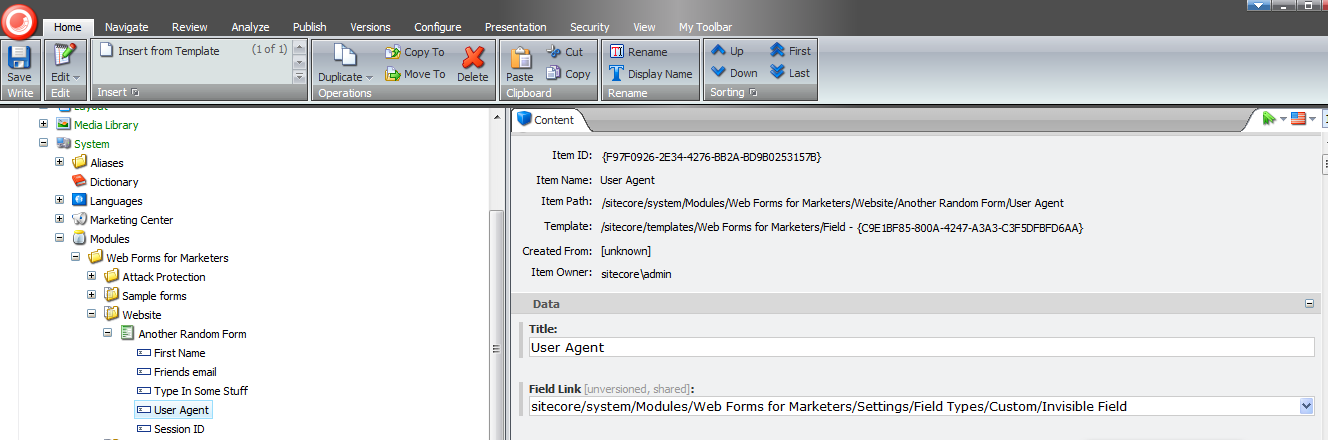
Next, I mapped my custom Save to Database action to my new form:

I also created a new page item to hold my WFFM form, and navigated to that page to fill in my form:

I clicked the submit button and got a pleasant confirmation message:

Thereafter, I pulled up the Form Reports for this form, and see that field values were shoehorned into it:

That’s all there is to it.
What is the utility in all of this? Well, you might want to use this approach when sending information off to a third-party via a web service where that third-party application returns some kind of transaction identifier. Having this identifier in your Form Reports could help in troubleshoot issues that had arisen during that transaction — third-party payment processors come to mind.
Content Manage Custom Standard Values Tokens in the Sitecore Client
A few days back, John West — Chief Technology Officer at Sitecore USA — blogged about adding custom tokens in a subclass of Sitecore.Data.MasterVariablesReplacer.
One thing that surprised me was how his solution did not use NVelocity, albeit I discovered why: the class Sitecore.Data.MasterVariablesReplacer does not use it, and as John states in this tweet, using NVelocity in his solution would have been overkill — only a finite number of tokens are defined, so why do this?
This kindled an idea — what if we could define such tokens in the Sitecore Client? How would one go about doing that?
This post shows how I did just that, and used NVelocity via a utility class I had built for my article discussing NVelocity
I first created two templates: one that defines the Standard Values variable token — I named this Variable — and the template for a parent Master Variables folder item — this has no fields on it, so I’ve omitted its screenshot:

I then defined some Glass.Sitecore.Mapper Models for my Variable and Master Variables templates — if you’re not familiar with Glass, or are but aren’t using it, I strongly recommend you go to http://www.glass.lu/ and check it out!
using System;
using System.Collections.Generic;
using System.Linq;
using System.Reflection;
using System.Text;

using Sitecore.Diagnostics;
using Sitecore.Reflection;

using Glass.Sitecore.Mapper.Configuration.Attributes;

namespace Sitecore.Sandbox.Model
{
    [SitecoreClass(TemplateId="{E14F91E4-7AF6-42EC-A9A8-E71E47598BA1}")]
    public class Variable
    {
        [SitecoreField(FieldId="{34DCAC45-E5B2-436A-8A09-89F1FB785F60}")]
        public virtual string Token { get; set; }

        [SitecoreField(FieldId = "{CD749583-B111-4E69-90F2-1772B5C96146}")]
        public virtual string Type { get; set; }

        [SitecoreField(FieldId = "{E3AB8CED-1602-4A7F-AC9B-B9031FCA2290}")]
        public virtual string PropertyName { get; set; }

        public object _TypeInstance;
        public object TypeInstance
        {
            get
            {
                bool shouldCreateNewInstance = !string.IsNullOrEmpty(Type)
                                                && !string.IsNullOrEmpty(PropertyName)
                                                && _TypeInstance == null;

                if (shouldCreateNewInstance)
                {
                    _TypeInstance = CreateObject(Type, PropertyName);
                }

                return _TypeInstance;
            }
        }

        private object CreateObject(string type, string propertyName)
        {
            try
            {
                return GetStaticPropertyValue(type, propertyName);
            }
            catch (Exception ex)
            {
                Log.Error(this.ToString(), ex, this);
            }

            return null;
        }

        private object GetStaticPropertyValue(string type, string propertyName)
        {
            PropertyInfo propertyInfo = GetPropertyInfo(type, propertyName);
            return GetStaticPropertyValue(propertyInfo);
        }

        private PropertyInfo GetPropertyInfo(string type, string propertyName)
        {
            return GetType(type).GetProperty(propertyName);
        }

        private object GetStaticPropertyValue(PropertyInfo propertyInfo)
        {
            Assert.ArgumentNotNull(propertyInfo, "propertyInfo");
            return propertyInfo.GetValue(null, null);
        }

        private Type GetType(string type)
        {
            return ReflectionUtil.GetTypeInfo(type);
        }
    }
}
In my Variable model class, I added some logic that employs reflection to convert the defined type into an object we can use. This logic at the moment will only work with static properties, although could be extended for instance properties, and even methods on classes.
Here is the model for the Master Variables folder:
using System;
using System.Collections.Generic;
using System.Linq;
using System.Text;

using Glass.Sitecore.Mapper.Configuration.Attributes;

namespace Sitecore.Sandbox.Model
{
    [SitecoreClass(TemplateId = "{855A1D19-5475-43CB-B3E8-A4960A81FEFF}")]
    public class MasterVariables
    {
        [SitecoreChildren(IsLazy=true)]
        public virtual IEnumerable<Variable> Variables { get; set; }
    }
}
I then hooked up my Glass models in my Global.asax:
<%@Application Language='C#' Inherits="Sitecore.Web.Application" %>
<%@ Import Namespace="Glass.Sitecore.Mapper.Configuration.Attributes" %>
<script runat="server">
    protected void Application_Start(object sender, EventArgs e)
    {
        AttributeConfigurationLoader loader = new AttributeConfigurationLoader
        (
            new string[] { "Sitecore.Sandbox.Model, Sitecore.Sandbox" }
        );

        Glass.Sitecore.Mapper.Context context = new Glass.Sitecore.Mapper.Context(loader);
    }

    public void Application_End()
    {
    }

    public void Application_Error(object sender, EventArgs args)
    {
    }
</script>
Since my solution only works with static properties, I defined a wrapper class that accesses properties from Sitecore.Context for illustration:
using System;
using System.Collections.Generic;
using System.Linq;
using System.Text;

namespace Sitecore.Sandbox.Data
{
    public class SitecoreContextProperties
    {
        public static string DomainName
        {
            get
            {
                return Sitecore.Context.Domain.Name;
            }
        }

        public static string Username
        {
            get
            {
                return Sitecore.Context.User.Name;
            }
        }

        public static string DatabaseName
        {
            get
            {
                return Sitecore.Context.Database.Name;
            }
        }

        public static string CultureName
        {
            get
            {
                return Sitecore.Context.Culture.Name;
            }
        }

        public static string LanguageName
        {
            get
            {
                return Sitecore.Context.Language.Name;
            }
        }
    }
}
I then defined my subclass of Sitecore.Data.MasterVariablesReplacer. I let the “out of the box” tokens be expanded by the Sitecore.Data.MasterVariablesReplacer base class, and expand those defined in the Sitecore Client by using my token replacement utility class and content acquired from the master database via my Glass models:
using System;
using System.Collections.Generic;
using System.Linq;
using System.Text;

using Sitecore.Collections;
using Sitecore.Data;
using Sitecore.Diagnostics;
using Sitecore.Data.Fields;
using Sitecore.Data.Items;
using Sitecore.Text;

using Glass.Sitecore.Mapper;

using Sitecore.Sandbox.Model;
using Sitecore.Sandbox.Utilities.StringUtilities.Base;
using Sitecore.Sandbox.Utilities.StringUtilities;
using Sitecore.Sandbox.Utilities.StringUtilities.DTO;

namespace Sitecore.Sandbox.Data
{
    public class ContentManagedMasterVariablesReplacer : MasterVariablesReplacer
    {
        private const string MasterVariablesDatabase = "master";

        public override string Replace(string text, Item targetItem)
        {
            return CreateNewTokenator().ReplaceTokens(base.Replace(text, targetItem));
        }

        public override void ReplaceField(Item item, Field field)
        {
            base.ReplaceField(item, field);
            field.Value = CreateNewTokenator().ReplaceTokens(field.Value);
        }

        private static ITokenator CreateNewTokenator()
        {
            return Utilities.StringUtilities.Tokenator.CreateNewTokenator(CreateTokenKeyValues());
        }

        private static IEnumerable<TokenKeyValue> CreateTokenKeyValues()
        {
            IEnumerable<Variable> variables = GetVariables();
            IList<TokenKeyValue> tokenKeyValues = new List<TokenKeyValue>();

            foreach (Variable variable in variables)
            {
                AddVariable(tokenKeyValues, variable);
            }

            return tokenKeyValues;
        }

        private static void AddVariable(IList<TokenKeyValue> tokenKeyValues, Variable variable)
        {
            Assert.ArgumentNotNull(variable, "variable");
            bool canAddVariable = !string.IsNullOrEmpty(variable.Token) && variable.TypeInstance != null;

            if (canAddVariable)
            {
                tokenKeyValues.Add(new TokenKeyValue(variable.Token, variable.TypeInstance));
            }
        }

        private static IEnumerable<Variable> GetVariables()
        {
            MasterVariables masterVariables = GetMasterVariables();

            if (masterVariables != null)
            {
                return masterVariables.Variables;
            }

            return new List<Variable>();
        }

        private static MasterVariables GetMasterVariables()
        {
            const string masterVariablesPath = "/sitecore/content/Settings/Master Variables"; // hardcoded here for illustration -- please don't hardcode paths!
            ISitecoreService sitecoreService = GetSitecoreService();
            return sitecoreService.GetItem<MasterVariables>(masterVariablesPath);
        }

        private static ISitecoreService GetSitecoreService()
        {
            return new SitecoreService(MasterVariablesDatabase);
        }
    }
}
At first, I tried to lazy instantiate my Tokenator instance in a property, but discovered that this class is only instantiated once — that would prevent newly added tokens from ever making their way into the ContentManagedMasterVariablesReplacer instance. This is why I call CreateNewTokenator() in each place where a Tokenator instance is needed.
I then wedged in my ContentManagedMasterVariablesReplacer class using a patch config file:
<?xml version="1.0" encoding="utf-8" ?>
<configuration xmlns:patch="http://www.sitecore.net/xmlconfig/">
  <sitecore>
    <settings>
      <setting name="MasterVariablesReplacer">
        <patch:attribute name="value">Sitecore.Sandbox.Data.ContentManagedMasterVariablesReplacer,Sitecore.Sandbox</patch:attribute>
      </setting>
    </settings>
  </sitecore>
</configuration>
Now, let’s see if this works.
We first need some variables:


Next, we’ll need an item for testing. Let’s create a template with fields that will be populated using my Sitecore.Sandbox.Data.ContentManagedMasterVariablesReplacer class:

Under /sitecore/content/Home, I created a new item based on this test template.
We can see that hardcoded tokens were populated from the base Sitecore.Data.MasterVariablesReplacer class:

The content managed tokens were populated from the Sitecore.Sandbox.Data.ContentManagedMasterVariablesReplacer class:
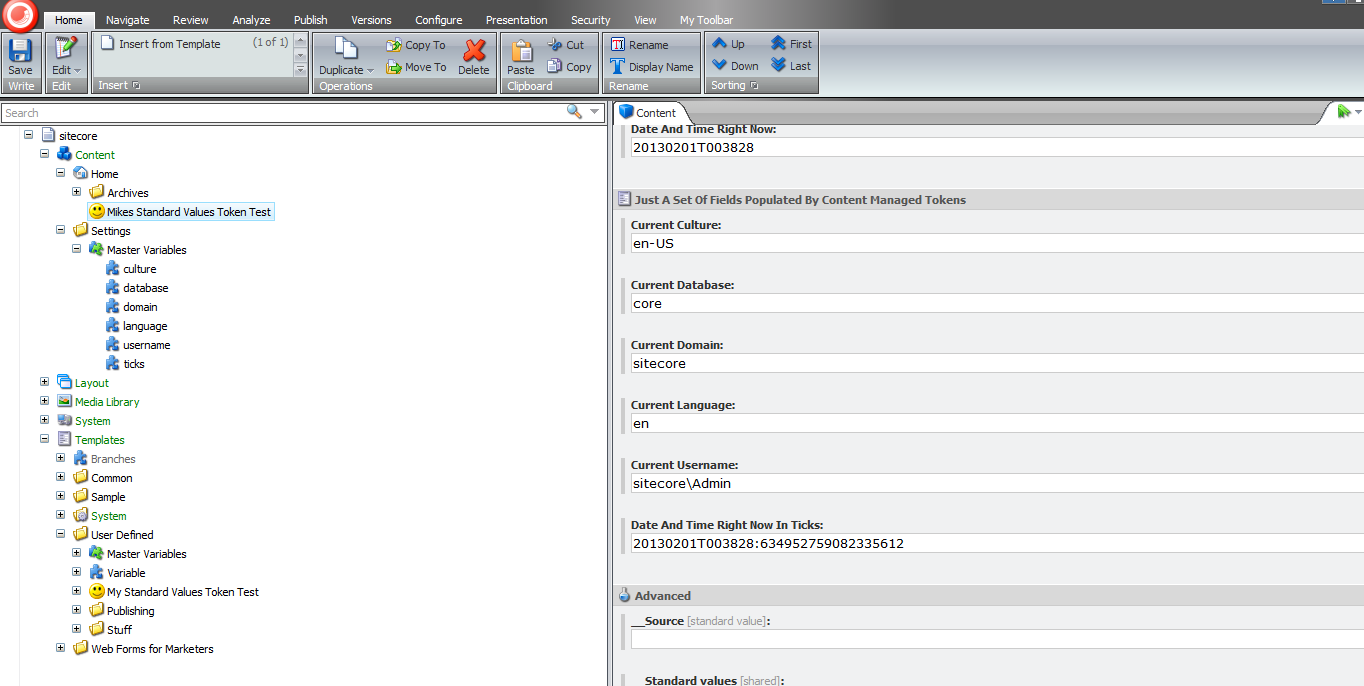
That’s all there is to it.
Please keep in mind there could be potential performance issues with the above, especially when there are lots of Variable items — the code always creates an instance of the Tokenator in the ContentManagedMasterVariablesReplacer instance, which is pulling content from Sitecore each time, and we’re using reflection for each Variable. It would probably be best to enhance the above by leveraging Lucene in some way to increase its performance.
Further, these items should only be created/edited by advanced users or developers familiar with ASP.NET code — how else would one be able to populate the Type and Property Name fields in a Variable item?
Despite these, just imagine the big smiley your boss will send your way when you say new Standard Values variables no longer require any code changes coupled with a deployment. I hope that smiley puts a big smile on your face! 🙂
Manipulate Field Values in a Custom Sitecore Web Forms for Marketers DataProvider
In my Experiments with Field Data Encryption in Sitecore article, I briefly mentioned designing a custom Web Forms for Marketers (WFFM) DataProvider that uses the decorator pattern for encrypting and decrypting field values before saving and retrieving field values from the WFFM database.
From the time I penned that article up until now, I have been feeling a bit guilty that I may have left you hanging by not going into the mechanics around how I did that — I built that DataProvider for my company to be used in one of our healthcare specific content management modules.
To make up for not showing you this, I decided to build another custom WFFM DataProvider — one that will replace periods with smiley faces and the word “Sitecore” with “Sitecore®”, case insensitively.
First, I defined an interface for utility classes that will manipulate objects for us. All manipulators will consume an object of a specified type, manipulate that object in some way, and then return the maniputed object to the manipulator object’s client:
namespace Sitecore.Sandbox.Utilities.Manipulators.Base
{
    public interface IManipulator<T>
    {
        T Manipulate(T source);
    }
}
The first manipulator I built is a string manipulator. Basically, this object will take in a string and replace a specified substring with another:
namespace Sitecore.Sandbox.Utilities.Manipulators.Base
{
    public interface IStringReplacementManipulator : IManipulator<string>
    {
    }
}
using System;
using System.Collections.Generic;
using System.Linq;
using System.Text;
using System.Text.RegularExpressions;

using Sitecore.Diagnostics;

using Sitecore.Sandbox.Utilities.Manipulators.Base;

namespace Sitecore.Sandbox.Utilities.Manipulators
{
    public class StringReplacementManipulator : IStringReplacementManipulator
    {
        private string PatternToReplace { get; set; }
        private string ReplacementString { get; set; }
        private bool IgnoreCase { get; set; }

        private StringReplacementManipulator(string patternToReplace, string replacementString)
            : this(patternToReplace, replacementString, false)
        {
        }

        private StringReplacementManipulator(string patternToReplace, string replacementString, bool ignoreCase)
        {
            SetPatternToReplace(patternToReplace);
            SetReplacementString(replacementString);
            SetIgnoreCase(ignoreCase);
        }

        private void SetPatternToReplace(string patternToReplace)
        {
            Assert.ArgumentNotNullOrEmpty(patternToReplace, "patternToReplace");
            PatternToReplace = patternToReplace;
        }

        private void SetReplacementString(string replacementString)
        {
            ReplacementString = replacementString;
        }

        private void SetIgnoreCase(bool ignoreCase)
        {
            IgnoreCase = ignoreCase;
        }

        public string Manipulate(string source)
        {
            Assert.ArgumentNotNullOrEmpty(source, "source");
            RegexOptions regexOptions = RegexOptions.None;

            if (IgnoreCase)
            {
                regexOptions = RegexOptions.IgnoreCase;
            }

            return Regex.Replace(source, PatternToReplace, ReplacementString, regexOptions);
        }

        public static IStringReplacementManipulator CreateNewStringReplacementManipulator(string patternToReplace, string replacementString)
        {
            return new StringReplacementManipulator(patternToReplace, replacementString);
        }

        public static IStringReplacementManipulator CreateNewStringReplacementManipulator(string patternToReplace, string replacementString, bool ignoreCase)
        {
            return new StringReplacementManipulator(patternToReplace, replacementString, ignoreCase);
        }
    }
}
Clients of this class can choose to have substrings replaced in a case sensitive or insensitive manner.
By experimenting in a custom WFFM DataProvider and investigating code via .NET reflector in the WFFM assemblies, I discovered I had to create a custom object that implements Sitecore.Forms.Data.IField.
Out of the box, WFFM uses Sitecore.Forms.Data.DefiniteField — a class that implements Sitecore.Forms.Data.IField, albeit this class is declared internal and cannot be reused outside of the Sitecore.Forms.Core.dll assembly.
When I attempted to change the Value property of this object in a custom WFFM DataProvider, changes did not stick for some reason — a reason that I have not definitely ascertained.
However, to get around these lost Value property changes, I created a custom object that implements Sitecore.Forms.Data.IField:
using System;

using Sitecore.Forms.Data;

namespace Sitecore.Sandbox.Utilities.Manipulators.DTO
{
    public class WFFMField : IField
    {
        public string Data { get; set; }

        public Guid FieldId { get; set; }

        public string FieldName { get; set; }

        public IForm Form { get; set; }

        public Guid Id { get; internal set; }

        public string Value { get; set; }
    }
}
Next, I built a WFFM Field collection manipulator — an IEnumerable of Sitecore.Forms.Data.IField defined in Sitecore.Forms.Core.dll — using the DTO defined above:
using System.Collections.Generic;

using Sitecore.Forms.Data;

namespace Sitecore.Sandbox.Utilities.Manipulators.Base
{
    public interface IWFFMFieldsManipulator : IManipulator<IEnumerable<IField>>
    {
    }
}
using System;
using System.Collections.Generic;
using System.Linq;
using System.Text;

using Sitecore.Diagnostics;
using Sitecore.Forms.Data;

using Sitecore.Sandbox.Utilities.Manipulators.Base;
using Sitecore.Sandbox.Utilities.Manipulators.DTO;

namespace Sitecore.Sandbox.Utilities.Manipulators
{
    public class WFFMFieldsManipulator : IWFFMFieldsManipulator
    {
        private IEnumerable<IStringReplacementManipulator> FieldValueManipulators { get; set; }

        private WFFMFieldsManipulator(params IStringReplacementManipulator[] fieldValueManipulator)
            : this(fieldValueManipulator.AsEnumerable())
        {
        }

        private WFFMFieldsManipulator(IEnumerable<IStringReplacementManipulator> fieldValueManipulators)
        {
            SetFieldValueManipulator(fieldValueManipulators);
        }

        private void SetFieldValueManipulator(IEnumerable<IStringReplacementManipulator> fieldValueManipulators)
        {
            Assert.ArgumentNotNull(fieldValueManipulators, "fieldValueManipulators");
            foreach (IStringReplacementManipulator fieldValueManipulator in fieldValueManipulators)
            {
                Assert.ArgumentNotNull(fieldValueManipulator, "fieldValueManipulator");
            }

            FieldValueManipulators = fieldValueManipulators;
        }

        public IEnumerable<IField> Manipulate(IEnumerable<IField> fields)
        {
            IList<IField> maniuplatdFields = new List<IField>();

            foreach (IField field in fields)
            {
                maniuplatdFields.Add(MainpulateFieldValue(field));
            }

            return maniuplatdFields;
        }

        private IField MainpulateFieldValue(IField field)
        {
            IField maniuplatedField = CreateNewWFFMField(field);

            if (maniuplatedField != null)
            {
                maniuplatedField.Value = ManipulateString(maniuplatedField.Value);
            }

            return maniuplatedField;
        }

        private static IField CreateNewWFFMField(IField field)
        {
            if(field != null)
            {
                return new WFFMField
                {
                    Data = field.Data,
                    FieldId = field.FieldId,
                    FieldName = field.FieldName,
                    Form = field.Form,
                    Id = field.Id,
                    Value = field.Value
                };
            }

            return null;
        }

        private string ManipulateString(string stringToManipulate)
        {
            if (string.IsNullOrEmpty(stringToManipulate))
            {
                return string.Empty;
            }

            string manipulatedString = stringToManipulate;

            foreach(IStringReplacementManipulator fieldValueManipulator in FieldValueManipulators)
            {
                manipulatedString = fieldValueManipulator.Manipulate(manipulatedString);
            }

            return manipulatedString;
        }

        public static IWFFMFieldsManipulator CreateNewWFFMFieldsManipulator(params IStringReplacementManipulator[] fieldValueManipulators)
        {
            return new WFFMFieldsManipulator(fieldValueManipulators);
        }

        public static IWFFMFieldsManipulator CreateNewWFFMFieldsManipulator(IEnumerable<IStringReplacementManipulator> fieldValueManipulators)
        {
            return new WFFMFieldsManipulator(fieldValueManipulators);
        }
    }
}
This manipulator consumes a collection of string manipulators and delegates to these for making changes to WFFM field values.
Now, it’s time to create a custom WFFM DataProvider that uses our manipulators defined above.
In my local sandbox Sitecore instance, I’m using SQLite for my WFFM module, and must decorate an instance of Sitecore.Forms.Data.DataProviders.SQLite.SQLiteWFMDataProvider — although this approach would be the same using MS SQL or Oracle since all WFFM DataProviders should inherit from the abstract class Sitecore.Forms.Data.DataProviders.WFMDataProviderBase:
using System;
using System.Collections.Generic;
using System.Linq;
using System.Text;

using Sitecore.Diagnostics;
using Sitecore.Forms.Data;
using Sitecore.Forms.Data.DataProviders;
using Sitecore.Forms.Data.DataProviders.SQLite;

using Sitecore.Sandbox.Translation.Base;
using Sitecore.Sandbox.Utilities.Manipulators.Base;
using Sitecore.Sandbox.Utilities.Manipulators;

namespace Sitecore.Sandbox.WFFM.Data.DataProviders
{
    public class FieldValueManipulationSQLiteWFMDataProvider : WFMDataProviderBase
    {
        private static readonly IStringReplacementManipulator RegisteredTrademarkManipulator = StringReplacementManipulator.CreateNewStringReplacementManipulator("sitecore", " Sitecore®", true);
        private static readonly IStringReplacementManipulator PeriodsToSmiliesManipulator = StringReplacementManipulator.CreateNewStringReplacementManipulator("\\.", " :)");
        private static readonly IWFFMFieldsManipulator FieldsManipulator = WFFMFieldsManipulator.CreateNewWFFMFieldsManipulator(RegisteredTrademarkManipulator, PeriodsToSmiliesManipulator);

	    private WFMDataProviderBase InnerProvider { get; set; }

        public FieldValueManipulationSQLiteWFMDataProvider()
		    : this(CreateNewSQLiteWFMDataProvider())
        {
        }

        public FieldValueManipulationSQLiteWFMDataProvider(string connectionString)
		    : this(CreateNewSQLiteWFMDataProvider(connectionString))
        {
        }

        public FieldValueManipulationSQLiteWFMDataProvider(WFMDataProviderBase innerProvider)
        {
		    SetInnerProvider(innerProvider);
	    }

	    private void SetInnerProvider(WFMDataProviderBase innerProvider)
	    {
		    Assert.ArgumentNotNull(innerProvider, "innerProvider");
		    InnerProvider = innerProvider;
	    }

        private static WFMDataProviderBase CreateNewSQLiteWFMDataProvider()
	    {
            return new SQLiteWFMDataProvider();
	    }

        private static WFMDataProviderBase CreateNewSQLiteWFMDataProvider(string connectionString)
	    {
		    Assert.ArgumentNotNullOrEmpty(connectionString, "connectionString");
            return new SQLiteWFMDataProvider(connectionString);
	    }

        public override void ChangeStorage(Guid formItemId, string newStorage)
        {
            InnerProvider.ChangeStorage(formItemId, newStorage);
        }

        public override void ChangeStorageForForms(IEnumerable<Guid> ids, string storageName)
        {
            InnerProvider.ChangeStorageForForms(ids, storageName);
        }

        public override void DeleteForms(IEnumerable<Guid> formSubmitIds)
        {
            InnerProvider.DeleteForms(formSubmitIds);
        }

        public override void DeleteForms(Guid formItemId, string storageName)
        {
            InnerProvider.DeleteForms(formItemId, storageName);
        }

        public override IEnumerable<IPool> GetAbundantPools(Guid fieldId, int top, out int total)
        {
            return InnerProvider.GetAbundantPools(fieldId, top, out total);
        }

        public override IEnumerable<IForm> GetForms(QueryParams queryParams, out int total)
        {
            return InnerProvider.GetForms(queryParams, out total);
        }

        public override IEnumerable<IForm> GetFormsByIds(IEnumerable<Guid> ids)
        {
            return InnerProvider.GetFormsByIds(ids);
        }

        public override int GetFormsCount(Guid formItemId, string storageName, string filter)
        {
            return InnerProvider.GetFormsCount(formItemId, storageName, filter);
        }

        public override IEnumerable<IPool> GetPools(Guid fieldId)
        {
            return InnerProvider.GetPools(fieldId);
        }

        public override void InsertForm(IForm form)
        {
            ManipulateFields(form);
            InnerProvider.InsertForm(form);
        }

        public override void ResetPool(Guid fieldId)
        {
            InnerProvider.ResetPool(fieldId);
        }

        public override IForm SelectSingleForm(Guid fieldId, string likeValue)
        {
            return InnerProvider.SelectSingleForm(fieldId, likeValue);
        }

        public override bool UpdateForm(IForm form)
        {
            ManipulateFields(form);
            return InnerProvider.UpdateForm(form);
        }

        private static void ManipulateFields(IForm form)
        {
            Assert.ArgumentNotNull(form, "form");
            Assert.ArgumentNotNull(form.Field, "form.Field");
            form.Field = FieldsManipulator.Manipulate(form.Field);
        }
    }
}
This custom DataProvider creates an instance of Sitecore.Forms.Data.DataProviders.SQLite.SQLiteWFMDataProvider and delegates method calls to it.
However, before delegating to insert and update method calls, forms fields are manipulated via our manipulators objects — our manipulators will replace periods with smiley faces, and the word “Sitecore” with “Sitecore®”.
I then had to configure WFFM to use my custom DataProvider above in /App_Config/Include/forms.config:
<configuration xmlns:patch="http://www.sitecore.net/xmlconfig/" xmlns:x="http://www.sitecore.net/xmlconfig/">
	<sitecore>

		<!-- A bunch of stuff here -->

		<!-- SQLite -->
		<formsDataProvider type="Sitecore.Sandbox.WFFM.Data.DataProviders.FieldValueManipulationSQLiteWFMDataProvider,Sitecore.Sandbox">
			<param desc="connection string">Data Source=/data/sitecore_webforms.db;version=3;BinaryGUID=true</param>
		</formsDataProvider>

		<!-- A bunch of stuff here -->

	</sitecore>
</configuration>
For testing, I build a random WFFM form containing three fields, and created a page item to hold this form.
I then navigated to my form page and filled it in:
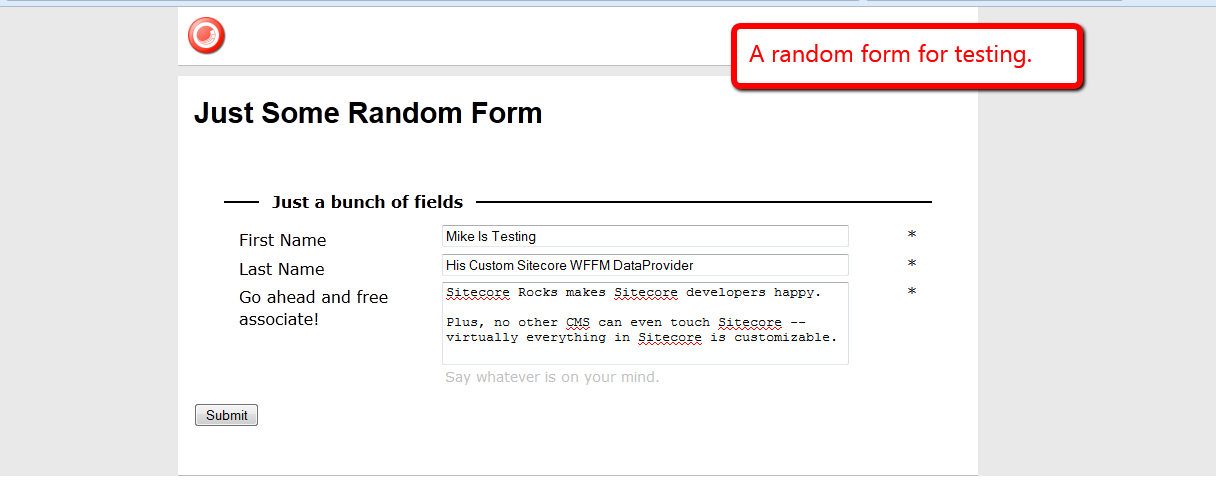
I then clicked the Submit button:
I then opened up the Form Reports for my form:

As you can see, it all gelled together nicely. 🙂
Rip Out Sitecore Web Forms for Marketers Field Values During a Custom Save Action
A couple of weeks ago, I architected a Web Forms for Marketers (WFFM) solution that sends credit card information to a third-party credit card processor — via a custom form verification step — and blanks out sensitive credit card information before saving into the WFFM database.
Out of the box, WFFM will save credit card information in plain text to its database — yes, the data is hidden in the form report, although is saved to the database as plain text. This information being saved as plain text is a security risk.
One could create a solution similar to what I had done in my article discussing data encryption — albeit it might be in your best interest to avoid any headaches and potential security issues around saving and holding onto credit card information.
I can’t share the solution I built a couple of weeks ago — I built it for my current employer. I will, however, share a similar solution where I blank out the value of a field containing a social security number — a unique identifier of a citizen of the United States — of a person posing a question to the Internal Revenue Service (IRS) of the United States (yes, I chose this topic since tax season is upon us here in the US, and I loathe doing taxes :)).
First, I created a custom Web Forms for Marketers field for social security numbers. It is just a composite control containing three textboxes separated by labels containing hyphens:
using System;
using System.Collections.Generic;
using System.ComponentModel;
using System.Linq;
using System.Text;
using System.Web.UI;
using System.Web.UI.WebControls;

using Sitecore.Form.Core.Attributes;
using Sitecore.Form.Core.Controls.Data;
using Sitecore.Form.Core.Visual;
using Sitecore.Form.Web.UI.Controls;

namespace Sitecore.Sandbox.WFFM.Controls
{
    public class SocialSecurityNumber : InputControl
    {
        private const string Hyphen = "-";
        private static readonly string baseCssClassName = "scfSingleLineTextBorder";
        protected TextBox firstPart;
        protected System.Web.UI.WebControls.Label firstMiddleSeparator;
        protected TextBox middlePart;
        protected System.Web.UI.WebControls.Label middleLastSeparator;
        protected TextBox lastPart;

        public SocialSecurityNumber() : this(HtmlTextWriterTag.Div)
        {
            firstPart = new TextBox();
            firstMiddleSeparator = new System.Web.UI.WebControls.Label { Text = Hyphen };
            middlePart = new TextBox();
            middleLastSeparator = new System.Web.UI.WebControls.Label { Text = Hyphen };
            lastPart = new TextBox();
        }

        public SocialSecurityNumber(HtmlTextWriterTag tag)
            : base(tag)
        {
            this.CssClass = baseCssClassName;
        }

        protected override void OnInit(EventArgs e)
        {
            SetCssClasses();
            SetTextBoxeWidths();
            SetMaxLengths();
            SetTextBoxModes();
            AddChildControls();
        }

        private void SetCssClasses()
        {
            help.CssClass = "scfSingleLineTextUsefulInfo";
            title.CssClass = "scfSingleLineTextLabel";
            generalPanel.CssClass = "scfSingleLineGeneralPanel";
        }

        private void SetTextBoxeWidths()
        {
            firstPart.Style.Add("width", "40px");
            middlePart.Style.Add("width", "35px");
            lastPart.Style.Add("width", "50px");
        }

        private void SetMaxLengths()
        {
            firstPart.MaxLength = 3;
            middlePart.MaxLength = 2;
            lastPart.MaxLength = 4;
        }

        private void SetTextBoxModes()
        {
            firstPart.TextMode = TextBoxMode.SingleLine;
            middlePart.TextMode = TextBoxMode.SingleLine;
            lastPart.TextMode = TextBoxMode.SingleLine;
        }

        private void AddChildControls()
        {
            Controls.AddAt(0, generalPanel);
            Controls.AddAt(0, title);

            generalPanel.Controls.Add(firstPart);
            generalPanel.Controls.Add(firstMiddleSeparator);
            generalPanel.Controls.Add(middlePart);
            generalPanel.Controls.Add(middleLastSeparator);
            generalPanel.Controls.Add(lastPart);
            generalPanel.Controls.Add(help);
        }

        public override string ID
        {
            get
            {
                return firstPart.ID;
            }
            set
            {
                title.ID = string.Concat(value, "_text");
                firstPart.ID = value;
                base.ID = string.Concat(value, "_scope");
                title.AssociatedControlID = firstPart.ID;
            }
        }

        public override ControlResult Result
        {
            get
            {
                return GetNewControlResult();
            }
        }

        private ControlResult GetNewControlResult()
        {
            TrimAllTextBoxes();
            return new ControlResult(ControlName, GetValue(), string.Empty);
        }

        private string GetValue()
        {
            bool hasValue = !string.IsNullOrEmpty(firstPart.Text)
                            && !string.IsNullOrEmpty(middlePart.Text)
                            && !string.IsNullOrEmpty(lastPart.Text);

            if (hasValue)
            {
                return string.Concat(firstPart.Text, firstMiddleSeparator.Text, middlePart.Text, middleLastSeparator.Text, lastPart.Text);
            }

            return string.Empty;
        }

        private void TrimAllTextBoxes()
        {
            firstPart.Text = firstPart.Text.Trim();
            middlePart.Text = middlePart.Text.Trim();
            lastPart.Text = lastPart.Text.Trim();
        }
    }
}
I then registered this custom field in Sitecore. I added my custom field item under /sitecore/system/Modules/Web Forms for Marketers/Settings/Field Types/Custom:

Next, I decided to create a generic interface that defines objects that will excise or rip out values from a given object of a certain type, and returns a new object of another type — although both types could be the same:
using System;
using System.Collections.Generic;
using System.Linq;
using System.Text;

namespace Sitecore.Sandbox.Utilities.Excisors.Base
{
    public interface IExcisor<T, U>
    {
        U Excise(T source);
    }
}
My WFFM excisor will take in a collection of WFFM fields and return a new collection where the targeted field values — field values that I don’t want saved into the WFFM database — are set to the empty string.
using System;
using System.Collections.Generic;
using System.Linq;
using System.Text;

using Sitecore.Form.Core.Controls.Data;
using Sitecore.Form.Core.Client.Data.Submit;

namespace Sitecore.Sandbox.Utilities.Excisors.Base
{
    public interface IWFFMFieldValuesExcisor : IExcisor<AdaptedResultList, AdaptedResultList>
    {
    }
}
using System;
using System.Collections.Generic;
using System.Linq;
using System.Text;

using Sitecore.Diagnostics;
using Sitecore.Form.Core.Client.Data.Submit;
using Sitecore.Form.Core.Controls.Data;

using Sitecore.Sandbox.Utilities.Excisors.Base;

namespace Sitecore.Sandbox.Utilities.Excisors
{
    public class WFFMFieldValuesExcisor : IWFFMFieldValuesExcisor
    {
        private IEnumerable<string> FieldNamesForExtraction { get; set; }

        private WFFMFieldValuesExcisor(IEnumerable<string> fieldNamesForExtraction)
        {
            SetFieldNamesForExtraction(fieldNamesForExtraction);
        }

        private void SetFieldNamesForExtraction(IEnumerable<string> fieldNamesForExtraction)
        {
            Assert.ArgumentNotNull(fieldNamesForExtraction, "fieldNamesForExtraction");
            FieldNamesForExtraction = fieldNamesForExtraction;
        }

        public AdaptedResultList Excise(AdaptedResultList fields)
        {
            if(fields == null || fields.Count() < 1)
            {
                return fields;
            }

            List<AdaptedControlResult> adaptedControlResults = new List<AdaptedControlResult>();

            foreach(AdaptedControlResult field in fields)
            {
                adaptedControlResults.Add(GetExtractValueFieldIfApplicable(field));
            }

            return adaptedControlResults;
        }

        private AdaptedControlResult GetExtractValueFieldIfApplicable(AdaptedControlResult field)
        {
            if(ShouldExtractFieldValue(field))
            {
                return GetExtractedValueField(field);
            }

            return field;
        }

        private bool ShouldExtractFieldValue(ControlResult field)
        {
            return FieldNamesForExtraction.Contains(field.FieldName);
        }

        private static AdaptedControlResult GetExtractedValueField(ControlResult field)
        {
            return new AdaptedControlResult(CreateNewControlResultWithEmptyValue(field), true);
        }

        private static ControlResult CreateNewControlResultWithEmptyValue(ControlResult field)
        {
            ControlResult controlResult = new ControlResult(field.FieldName, string.Empty, field.Parameters);
            controlResult.FieldID = field.FieldID;
            return controlResult;
        }

        public static IWFFMFieldValuesExcisor CreateNewWFFMFieldValuesExcisor(IEnumerable<string> fieldNamesForExtraction)
        {
            return new WFFMFieldValuesExcisor(fieldNamesForExtraction);
        }
    }
}
For scalability purposes and to avoid hard-coding field name values, I put my targeted fields — I only have one at the moment — into a config file:
<?xml version="1.0" encoding="utf-8"?>
<configuration xmlns:patch="http://www.sitecore.net/xmlconfig/">
	<sitecore>
		<settings>
			<setting name="ExciseFields.SocialSecurityNumberField" value="Social Security Number" />
		</settings>
	</sitecore>
</configuration>
I then created a custom save to database action where I call my utility class to rip out my specified targeted fields, and pass that through onto the base save to database action class:
using System;
using System.Collections.Generic;
using System.Linq;
using System.Text;

using Sitecore.Configuration;
using Sitecore.Data;
using Sitecore.Form.Core.Client.Data.Submit;
using Sitecore.Form.Submit;

using Sitecore.Sandbox.Utilities.Excisors;
using Sitecore.Sandbox.Utilities.Excisors.Base;

namespace Sitecore.Sandbox.WFFM.Actions
{
    public class ExciseFieldValuesThenSaveToDatabase : SaveToDatabase
    {
        private static readonly IEnumerable<string> FieldsToExcise = new string[] { Settings.GetSetting("ExciseFields.SocialSecurityNumberField") };

        public override void Execute(ID formId, AdaptedResultList fields, object[] data)
        {
            base.Execute(formId, ExciseFields(fields), data);
        }

        private AdaptedResultList ExciseFields(AdaptedResultList fields)
        {
            IWFFMFieldValuesExcisor excisor = WFFMFieldValuesExcisor.CreateNewWFFMFieldValuesExcisor(FieldsToExcise);
            return excisor.Excise(fields);
        }
    }
}
I created a new item to register my custom save to database action under /sitecore/system/Modules/Web Forms for Marketers/Settings/Actions/Save Actions:

I then created my form:
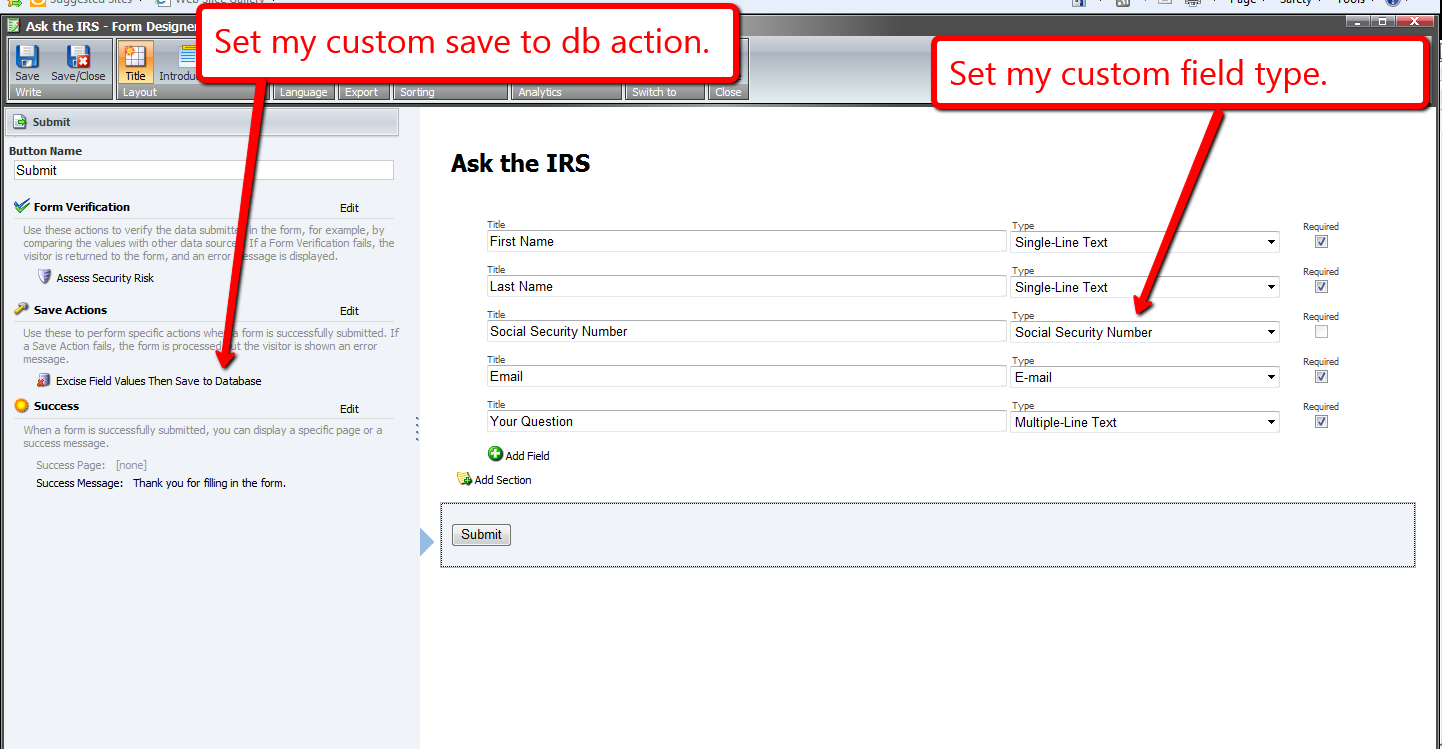
I set this form on a new page item, and published all of my changes above.
Now, it’s time to test this out. I navigated to my form, and filled it in as an irate tax payer might:

Looking at my form’s report, I see that the social security number was blanked out before being saved to the database:

A similar solution could also be used to add new field values into the collection of fields — values of fields that wouldn’t be available on the form, but should be displayed in the form report. An example might include a transaction ID or approval ID returned from a third-party credit card processor. Instead of ripping values, values would be inserted into the collection of fields, and then passed along to the base save to database action class.
Have a Field Day With Custom Sitecore Fields
This week, I’ve been off from work, and have been spending most of my downtime experimenting with Sitecore-ry development things — no, not you Mike — primarily poking around the core database to find things I can override or extend — for a thought provoking article about whether to override or extend things in Sitecore, check out John West’s blog post on this topic — and decided get my hands dirty by creating a custom Sitecore field.
This is something I feel isn’t being done enough by developers out in the wild — myself included — so I decided to take a stab at it, and share how you could go about accomplishing this.
The first field I created was a custom Single-Line Text field with a clear button. Since the jQuery library is available in the Sitecore client, I utilized a jQuery plugin to help me with this. It’s not a very robust plugin — I did have to make a couple of changes due to issues I encountered which I will omit from this article — albeit the purpose of me creating this field was to see how difficult it truly is.
As you can see below, creating a custom Single-Line Text isn’t difficult at all. All one has to do is subclass Sitecore.Shell.Applications.ContentEditor.Text in Sitecore.Kernel.dll, and ultimately override the DoRender() method:
using System;
using System.Collections.Generic;
using System.Linq;
using System.Web.UI;
using System.Web;

namespace Sitecore.Sandbox.Shell.Applications.ContentEditor
{
    public class ClearableSingleLineText : Sitecore.Shell.Applications.ContentEditor.Text
    {
        protected override void DoRender(HtmlTextWriter output)
        {
            SetWidthAndHeightStyle();
            RenderMyHtml(output);
            RenderChildren(output);
            RenderAutoSizeJavascript(output);
        }

        private void RenderMyHtml(HtmlTextWriter output)
        {
            const string htmlFormat = "<input{0}/>";
            output.Write(string.Format(htmlFormat, ControlAttributes));
        }

        private void RenderAutoSizeJavascript(HtmlTextWriter output)
        {
			/* I'm calling the jQuery() function directly since $() is defined for prototype.js in the Sitecore client */
            const string jsFormat = "<script type=\"text/javascript\">jQuery('#{0}').clearable();</script>";
            output.Write(string.Format(jsFormat, ID));
        }
    }
}
I then added a script reference to the jQuery plugin above, and embedded some css in /sitecore/shell/Applications/Content Manager/Default.aspx:
<script type="text/javaScript" language="javascript" src="/sitecore/shell/Controls/Lib/jQuery/jquery.clearable.js"></script>

<style type="text/css">
/* Most of this css was provided by the jquery.clearable plugin author */
a.clearlink
{
	background: url("/img/close-button.png") no-repeat scroll 0 0 transparent;
	background-position: center center;
	cursor: pointer;
	display: -moz-inline-stack;
	display: inline-block;
	zoom:1;
	*display:inline;
	height: 12px;
	width: 12px;
	z-index: 2000;
	border: 0px solid;
	position: relative;
	top: -18px;
	left: -5px;
	float: right;
}

a.clearlink:hover
{
	background: url("/img/close-button.png") no-repeat scroll -12px 0 transparent;
	background-position: center center;
}
</style>
What I did above doesn’t sit well with me. If a future version of Sitecore makes any changes to this .aspx, these changes might be lost (well, hopefully you would keep a copy of this file in a source control system somewhere).
However, I could not think of a better way of adding this javascript and css. If you know of a better way, please leave a comment.
I then defined my library of controls for my custom fields — not much of a library, since I only defined one field so far 🙂 — in a new patch config file /App_Config/Include/CustomFields.config:
<?xml version="1.0" encoding="utf-8"?>
<configuration xmlns:patch="http://www.sitecore.net/xmlconfig/">
	<sitecore>
		<controlSources>
			<source mode="on" namespace="Sitecore.Sandbox.Shell.Applications.ContentEditor" assembly="Sitecore.Sandbox" prefix="contentcustom"/>
		</controlSources>
	  </sitecore>
</configuration>
In the core database, I created a new field type for my custom Single-Line Text:

I then added a new field to my template using this new custom field definition in my master database:

Let’s see this new custom field in action.
I typed in some text on my item, followed by clicking the clear button:
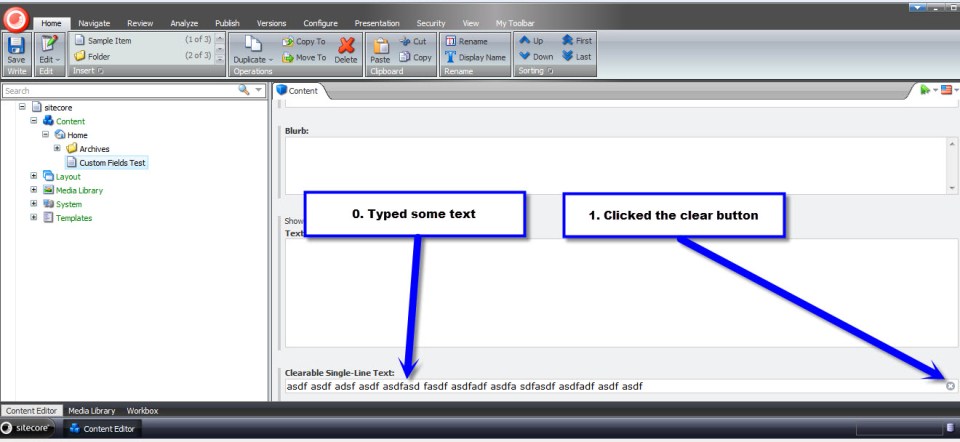
As expected, the text that I had typed was removed from the field:

After having done the above, I wanted to see if I could create a different type of custom field — creating a custom Text field was way too easy, and I wanted something more challenging. I figured creating a custom Multilist field might offer a challenge, so I decided to give it a go.
What I came up with was a custom Multilist field containing Sitecore users, instead of Items as options. I don’t know if there is any practicality in creating such a field, but I decided to go with it just for the purpose of creating a custom Multilist field.
First, I created a class to delegate responsibility for getting selected/unselected users in my field — I creating this class just in case I ever wanted to reuse this in a future custom field that should also contain Sitecore users.
using System;
using System.Collections.Generic;
using System.Linq;
using System.Text;

using Sitecore.Security.Accounts;

namespace Sitecore.Sandbox.Shell.Applications.ContentEditor.Base
{
    public interface IUsersField
    {
        IEnumerable<User> GetSelectedUsers();

        IEnumerable<User> GetUnselectedUsers();

        string GetProviderUserKey(User user);
    }
}
using System;
using System.Collections.Generic;
using System.Linq;
using System.Text;
using System.Web.Security;

using Sitecore.Configuration;
using Sitecore.Diagnostics;
using Sitecore.Security.Accounts;
using Sitecore.Text;

using Sitecore.Sandbox.Shell.Applications.ContentEditor.Base;

namespace Sitecore.Sandbox.Shell.Applications.ContentEditor
{
    public class UsersField : IUsersField
    {
        private static readonly string DomainParameterName = Settings.GetSetting("UsersField.DomainParameterName");

        private ListString _SelectedUsers;
        private ListString SelectedUsers
        {
            get
            {
                if (_SelectedUsers == null)
                {
                    _SelectedUsers = new ListString(Value);
                }

                return _SelectedUsers;
            }
        }

        private IEnumerable<User> _UsersInDomain;
        private IEnumerable<User> UsersInDomain
        {
            get
            {
                if (_UsersInDomain == null)
                {
                    _UsersInDomain = GetUsersInDomain();
                }

                return _UsersInDomain;
            }
        }

        private IEnumerable<User> _Users;
        private IEnumerable<User> Users
        {
            get
            {
                if(_Users == null)
                {
                    _Users = GetUsers();
                }

                return _Users;
            }
        }

        private string _Domain;
        private string Domain
        {
            get
            {
                if (string.IsNullOrEmpty(_Domain))
                {
                    _Domain = FieldSettings[DomainParameterName];
                }

                return _Domain;
            }
        }

        private UrlString _FieldSettings;
        private UrlString FieldSettings
        {
            get
            {
                if (_FieldSettings == null)
                {
                    _FieldSettings = GetFieldSettings();
                }

                return _FieldSettings;
            }
        }

        private string Source { get; set; }
        private string Value { get; set; }

        private UsersField(string source, string value)
        {
            SetSource(source);
            SetValue(value);
        }

        private void SetSource(string source)
        {
            Source = source;
        }

        private void SetValue(string value)
        {
            Value = value;
        }

        private IEnumerable<User> GetUsersInDomain()
        {
            if (!string.IsNullOrEmpty(Domain))
            {
                return Users.Where(user => IsUserInDomain(user, Domain));
            }

            return Users;
        }

        private static IEnumerable<User> GetUsers()
        {
            IEnumerable<User> users = UserManager.GetUsers();

            if (users != null)
            {
                return users;
            }

            return new List<User>();
        }

        private static bool IsUserInDomain(User user, string domain)
        {
            Assert.ArgumentNotNull(user, "user");
            Assert.ArgumentNotNullOrEmpty(domain, "domain");

            string userNameLowerCase = user.Profile.UserName.ToLower();
            string domainLowerCase = domain.ToLower();

            return userNameLowerCase.StartsWith(domainLowerCase);
        }

        private UrlString GetFieldSettings()
        {
            try
            {
                if (!string.IsNullOrEmpty(Source))
                {
                    return new UrlString(Source);
                }
            }
            catch (Exception ex)
            {
                Log.Error(this.ToString(), ex, this);
            }

            return new UrlString();
        }

        public IEnumerable<User> GetSelectedUsers()
        {
            IList<User> selectedUsers = new List<User>();

            foreach (string providerUserKey in SelectedUsers)
            {
                User selectedUser = UsersInDomain.Where(user => GetProviderUserKey(user) == providerUserKey).FirstOrDefault();
                if (selectedUser != null)
                {
                    selectedUsers.Add(selectedUser);
                }
            }

            return selectedUsers;
        }

        public IEnumerable<User> GetUnselectedUsers()
        {
            IList<User> unselectedUsers = new List<User>();

            foreach (User user in UsersInDomain)
            {
                if (!IsUserSelected(user))
                {
                    unselectedUsers.Add(user);
                }
            }

            return unselectedUsers;
        }

        private bool IsUserSelected(User user)
        {
            string providerUserKey = GetProviderUserKey(user);
            return IsUserSelected(providerUserKey);
        }

        private bool IsUserSelected(string providerUserKey)
        {
            return SelectedUsers.IndexOf(providerUserKey) > -1;
        }

        public string GetProviderUserKey(User user)
        {
            Assert.ArgumentNotNull(user, "user");
            MembershipUser membershipUser = Membership.GetUser(user.Profile.UserName);
            return membershipUser.ProviderUserKey.ToString();
        }

        public static IUsersField CreateNewUsersField(string source, string value)
        {
            return new UsersField(source, value);
        }
    }
}
I then modified my patch config file defined above (/App_Config/Include/CustomFields.config) with a new setting — a setting that specifies the parameter name for filtering on users’ Sitecore domain:
<?xml version="1.0" encoding="utf-8"?>
<configuration xmlns:patch="http://www.sitecore.net/xmlconfig/">
	<sitecore>
		<controlSources>
			<source mode="on" namespace="Sitecore.Sandbox.Shell.Applications.ContentEditor" assembly="Sitecore.Sandbox" prefix="contentcustom"/>
		</controlSources>
		<settings>
			<!-- Parameter name for users' Sitecore domain -->
			<setting name="UsersField.DomainParameterName" value="Domain" />
		</settings>
	  </sitecore>
</configuration>
I then created a new subclass of Sitecore.Shell.Applications.ContentEditor.MultilistEx — I ascertained this to be the class used by the Multilist field in Sitecore by looking at /sitecore/system/Field types/List Types/Multilist field type in the core database:
using System;
using System.Collections;
using System.Collections.Generic;
using System.Linq;
using System.Text;
using System.Web.Security;
using System.Web.UI;

using Sitecore.Configuration;
using Sitecore.Diagnostics;
using Sitecore.Globalization;
using Sitecore.Resources;
using Sitecore.Security.Accounts;
using Sitecore.Shell.Applications.ContentEditor;
using Sitecore.Text;

using Sitecore.Sandbox.Shell.Applications.ContentEditor.Base;

namespace Sitecore.Sandbox.Shell.Applications.ContentEditor
{
    public class UsersMultilist : MultilistEx
    {
        private IUsersField _UsersField;
        private IUsersField UsersField
        {
            get
            {
                if (_UsersField == null)
                {
                    _UsersField = CreateNewUsersField();
                }

                return _UsersField;
            }
        }

        public UsersMultilist()
        {
        }

        protected override void DoRender(HtmlTextWriter output)
        {
            Assert.ArgumentNotNull(output, "output");

            SetIDProperty();
            string disabledAttribute = string.Empty;

            if (ReadOnly)
            {
                disabledAttribute = " disabled=\"disabled\"";
            }

            output.Write(string.Format("<input id=\"{0}_Value\" type=\"hidden\" value=\"{1}\" />", ID, StringUtil.EscapeQuote(Value)));
            output.Write(string.Format("<table{0}>", GetControlAttributes()));
            output.Write("<tr>");
            output.Write(string.Format("<td class=\"scContentControlMultilistCaption\" width=\"50%\">{0}</td>", GetAllLabel()));
            output.Write(string.Format("<td width=\"20\">{0}</td>", Images.GetSpacer(20, 1)));
            output.Write(string.Format("<td class=\"scContentControlMultilistCaption\" width=\"50%\">{0}</td>", GetSelectedLabel()));
            output.Write(string.Format("<td width=\"20\">{0}</td>", Images.GetSpacer(20, 1), "</td>"));
            output.Write("</tr>");
            output.Write("<tr>");
            output.Write("<td valign=\"top\" height=\"100%\">");
            output.Write(string.Format("<select id=\"{0}_unselected\" class=\"scContentControlMultilistBox\" multiple=\"multiple\"{1} size=\"10\" ondblclick=\"javascript:scContent.multilistMoveRight('{2}')\" onchange=\"javascript:document.getElementById('{3}_all_help').innerHTML=this.selectedIndex>=0?this.options[this.selectedIndex].innerHTML:''\">", ID, disabledAttribute, ID, ID));

            IEnumerable<User> unselectedUsers = GetUnselectedUsers();
            foreach (User unselectedUser in unselectedUsers)
            {
                output.Write(string.Format("<option value=\"{0}\">{1}</option>", GetProviderUserKey(unselectedUser), unselectedUser.Profile.UserName));
            }

            output.Write("</select>");
            output.Write("</td>");
            output.Write("<td valign=\"top\">");
            RenderButton(output, "Core/16x16/arrow_blue_right.png", string.Format("javascript:scContent.multilistMoveRight('{0}')", ID));
            output.Write("<br />");
            RenderButton(output, "Core/16x16/arrow_blue_left.png", string.Format("javascript:scContent.multilistMoveLeft('{0}')", ID));
            output.Write("</td>");
            output.Write("<td valign=\"top\" height=\"100%\">");
            output.Write(string.Format("<select id=\"{0}_selected\" class=\"scContentControlMultilistBox\" multiple=\"multiple\"{1} size=\"10\" ondblclick=\"javascript:scContent.multilistMoveLeft('{2}')\" onchange=\"javascript:document.getElementById('{3}_selected_help').innerHTML=this.selectedIndex>=0?this.options[this.selectedIndex].innerHTML:''\">", ID, disabledAttribute, ID, ID));

            IEnumerable<User> selectedUsers = GetSelectedUsers();
            foreach (User selectedUser in selectedUsers)
            {
                output.Write(string.Format("<option value=\"{0}\">{1}</option>", GetProviderUserKey(selectedUser), selectedUser.Profile.UserName));
            }

            output.Write("</select>");
            output.Write("</td>");
            output.Write("<td valign=\"top\">");
            RenderButton(output, "Core/16x16/arrow_blue_up.png", string.Format("javascript:scContent.multilistMoveUp('{0}')", ID));
            output.Write("<br />");
            RenderButton(output, "Core/16x16/arrow_blue_down.png", string.Format("javascript:scContent.multilistMoveDown('{0}')", ID));
            output.Write("</td>");
            output.Write("</tr>");
            output.Write("<tr>");
            output.Write("<td valign=\"top\">");
            output.Write(string.Format("<div style=\"border:1px solid #999999;font:8pt tahoma;padding:2px;margin:4px 0px 4px 0px;height:14px\" id=\"{0}_all_help\"></div>", ID));
            output.Write("</td>");
            output.Write("<td></td>");
            output.Write("<td valign=\"top\">");
            output.Write(string.Format("<div style=\"border:1px solid #999999;font:8pt tahoma;padding:2px;margin:4px 0px 4px 0px;height:14px\" id=\"{0}_selected_help\"></div>", ID));
            output.Write("</td>");
            output.Write("<td></td>");
            output.Write("</tr>");
            output.Write("</table>");
        }

        protected void SetIDProperty()
        {
            ServerProperties["ID"] = ID;
        }

        protected static string GetAllLabel()
        {
            return GetLabel("All");
        }

        protected static string GetSelectedLabel()
        {
            return GetLabel("Selected");
        }

        protected static string GetLabel(string key)
        {
            return Translate.Text(key);
        }

        protected IEnumerable<User> GetSelectedUsers()
        {
            return UsersField.GetSelectedUsers();
        }

        protected IEnumerable<User> GetUnselectedUsers()
        {
            return UsersField.GetUnselectedUsers();
        }

        protected string GetProviderUserKey(User user)
        {
            return UsersField.GetProviderUserKey(user);
        }

        // Method "borrowed" from MultilistEx control
        protected void RenderButton(HtmlTextWriter output, string icon, string click)
        {
            Assert.ArgumentNotNull(output, "output");
            Assert.ArgumentNotNull(icon, "icon");
            Assert.ArgumentNotNull(click, "click");
            ImageBuilder builder = new ImageBuilder
            {
                Src = icon,
                Width = 0x10,
                Height = 0x10,
                Margin = "2px"
            };
            if (!ReadOnly)
            {
                builder.OnClick = click;
            }
            output.Write(builder.ToString());
        }

        private IUsersField CreateNewUsersField()
        {
            return ContentEditor.UsersField.CreateNewUsersField(Source, Value);
        }
    }
}
Overriding the DoRender() method paved the way for me to insert my custom Multilist options — options containg Sitecore users. Selected users will be saved as a pipe delimitered list of ASP.NET Membership UserIDs.
As I had done for my custom Single-Line Text above, I defined my custom Multilist field in the core database:

In the master database, I added a new field to my template using this new field type:

Now, let’s take this custom field for a test drive.
I went back to my item and saw that all Sitecore users were available for selection in my new field:

Facetiously imagine that a project manager has just run up to you anxiously lamenting — while breathing rapidly and sweating copiously — we cannot show users in the sitecore domain in our field, only those within the extranet domain — to do so will taint our credibility with our clients as Sitecore experts :). You then put on your superhero cape and proudly proclaim “rest assured, we’ve already baked this domain filtering functionality into our custom Multilist field!”:

I saved my template and navigated back to my item:

I selected a couple of users and saved:

I see their Membership UserIDs are being saved as designed:

My intent on creating the above custom fields was to showcase that the option to create your own fields exists in Sitecore. Why not have yourself a field day by creating your own? 🙂
 SitecoreJunkie.com